The Australian Signals Directorate recorded 87,400 cybercrime reports in 2023–24, which works out to roughly one report every 6 minutes, and the average self-reported cost of cybercrime rose for both individuals and small businesses according to the Australian cyber trend cited by Infrascale’s summary of the ASD data. For a CFO, that shifts backup and disaster recovery out of the server room and into cash flow, payroll continuity, customer fulfilment, and board risk.
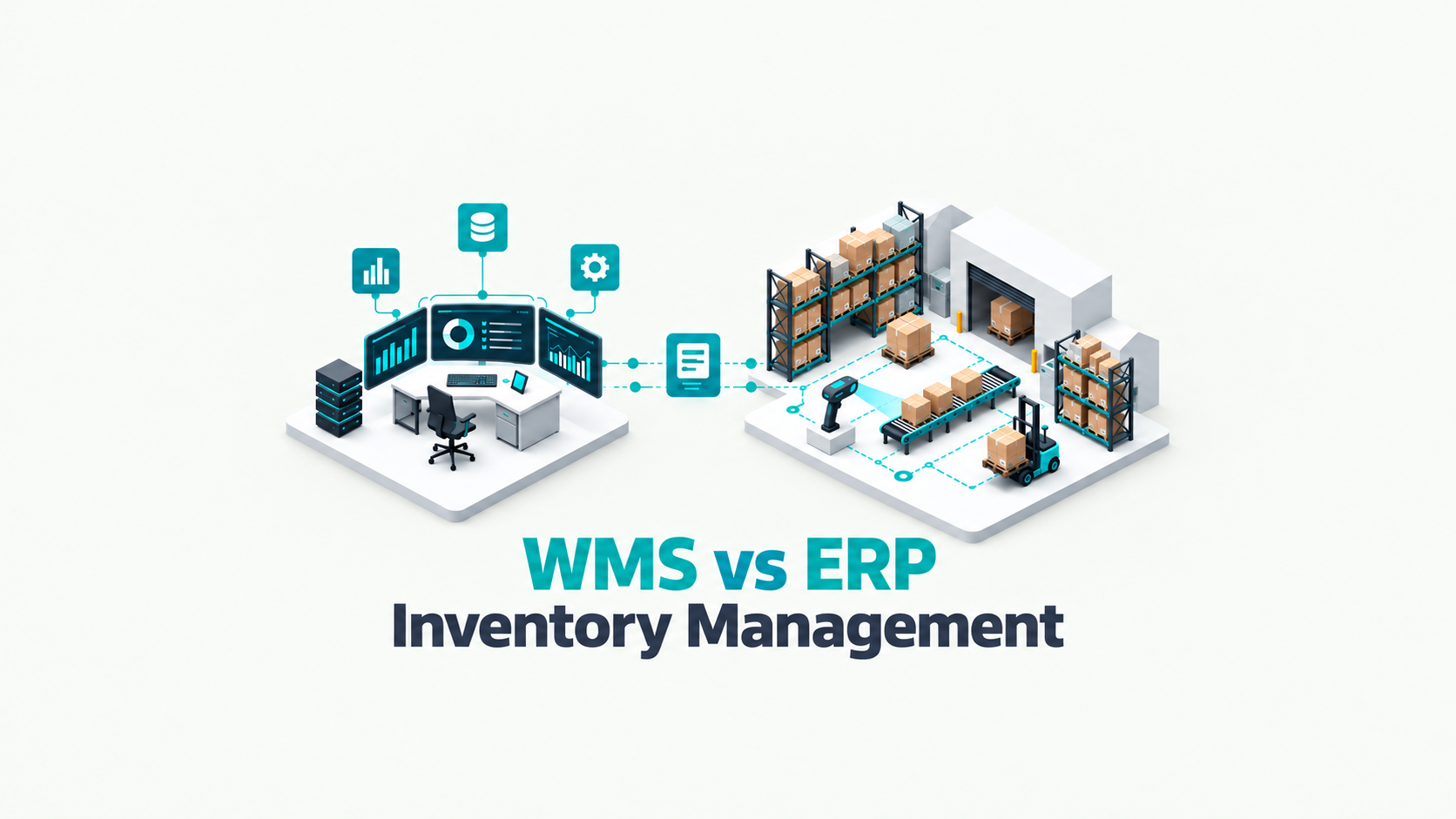
In cloud ERP environments, the mistake that still appears regularly is assuming the platform provider has “covered disaster recovery” end to end. That’s rarely the full story. Oracle NetSuite, Epicor Kinetic, and MYOB Acumatica can provide resilient platforms, but your business still owns process recovery, integration recovery, user access recovery, reporting continuity, and the ability to restore the right data in the right order. If finance can log in but bank files, approvals, warehouse scans, and EDI transactions are broken, you haven’t recovered the business. You’ve recovered a login screen.
Why Your Cloud ERP Still Needs a Disaster Recovery Plan
Cloud ERP improves platform resilience, but it does not guarantee business recovery. For an Australian mid-market company, the primary exposure sits in the workflows around the ERP. Orders, invoices, approvals, payroll files, supplier transactions, and warehouse activity all depend on more than the application being online.
In practice, ERP outages are often triggered by operational and security failures rather than a simple infrastructure event. A ransomware incident can lock connected file stores. A privileged account can be compromised. An integration update can break order flow between the ERP, WMS, and freight systems. A configuration error can stop approvals or corrupt data in a critical process. The vendor may restore service availability, but your business can still be unable to ship, bill, or close the month.
Cloud availability isn’t the same as business recoverability
That distinction matters under the shared responsibility model used by platforms such as NetSuite, Epicor Kinetic, and MYOB Acumatica. The vendor is responsible for the availability of the core service. Your business still owns the recovery of master data, transaction integrity, custom fields, reports, attachments, user access, integration endpoints, and the sequence used to bring business processes back online.
For a manufacturer or distributor, sequence is the issue that gets missed. Restoring finance first may help users log in, but revenue does not restart until sales orders, warehouse scans, dispatch documents, carrier connections, and invoicing are working in the right order. Businesses have been known to declare systems recovered while the warehouse was still operating from spreadsheets and customer invoices were delayed by a day. From a CFO’s perspective, that is not recovery. That is deferred revenue and rising operating cost.
If your team can access the ERP but cannot restart invoicing, dispatch, approvals, and payroll-linked exports, the business has not recovered.
Smaller firms that are still formalising resilience practices can start with practical guidance on planning for small business recovery. Mid-market firms usually need a wider operating model that connects ERP recovery to ownership, communications, manual workarounds, and tested dependencies across finance, operations, and IT. A documented business continuity planning approach gives that work a structure.
The CFO lens on ERP disruption
A usable disaster recovery plan answers commercial questions before technical ones.
- Can we keep shipping and invoicing? If pick lists, labels, EDI messages, or proof-of-delivery updates are delayed, revenue recognition and customer service both take a hit.
- Can we protect cash flow? If receivables, credit control, payment runs, or bank files are unavailable, the effect shows up quickly in working capital.
- Can we meet governance and compliance obligations? If recovered records are incomplete, audit trails are missing, or security controls fail during the response, the issue can extend into CPS 234 obligations and board reporting.
- Can we trust what comes back online? A restored system with stale or corrupted data creates rework, mis-shipments, duplicate transactions, and disputed invoices.
Boards do not approve disaster recovery spend to protect software. They approve it to protect cash flow, fulfilment, customer commitments, and compliance. In the current ACSC threat environment, that is a business process continuity decision, not just an IT safeguard.
Understanding Your Recovery Objectives: RTO and RPO
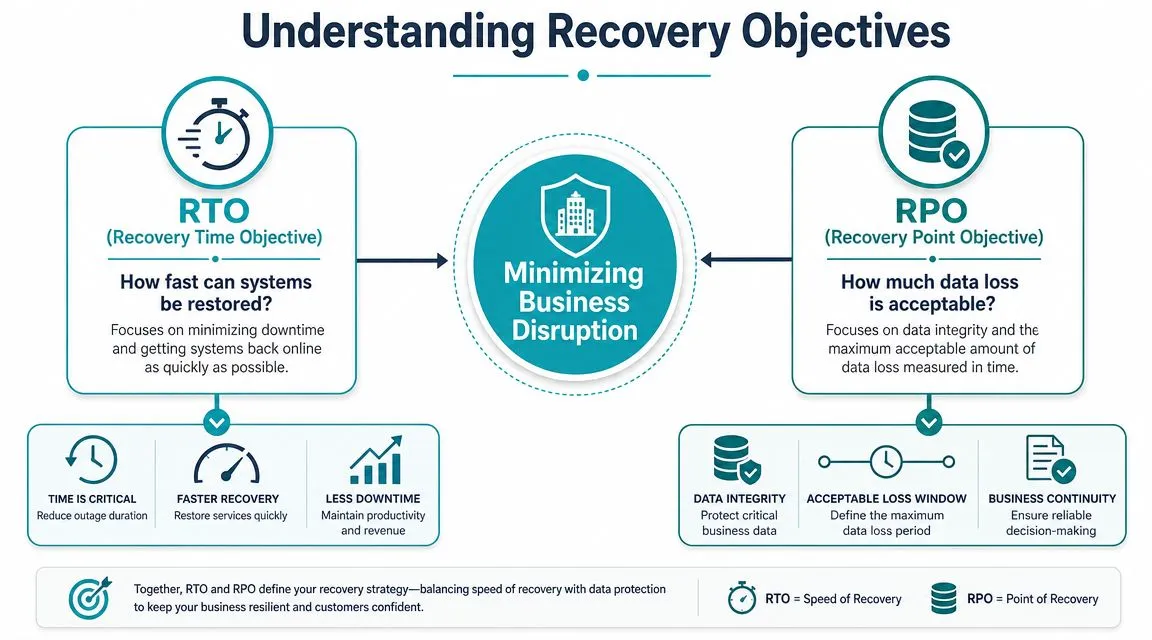
The two terms that matter most in disaster recovery are RTO and RPO. They sound technical, but they’re really commercial decisions.
RTO, or Recovery Time Objective, answers one question: how fast do you need the service back?
RPO, or Recovery Point Objective, answers another: how much data can you afford to lose?
Think in workflows, not systems
A documented disaster recovery plan should define RTO and RPO per service, and critical ERP, finance, and integration services require different restoration priorities than lower-tier workloads, as outlined in this guidance on designing a backup and disaster recovery plan. That’s the point many businesses miss. They set one target for “the ERP” and assume it applies everywhere.
It doesn’t.
If your general ledger, order orchestration, warehouse integration, and payroll export all sit around the same ERP core, they still don’t carry the same operational urgency. A delayed sandbox environment is inconvenient. A delayed accounts receivable function can hold up cash collection. A delayed manufacturing integration can idle the floor.
A practical analogy for finance leaders
Think of RTO and RPO like two parts of an insurance decision.
- RTO is the repair speed. If a vehicle is essential for daily deliveries, you pay for a faster replacement path.
- RPO is the acceptable loss. If critical paperwork disappears between the last save and the incident, the question is whether the business can reconstruct it without material disruption.
The same logic applies to ERP. A service with a short RTO needs a faster recovery design. A service with a tight RPO needs more frequent, more reliable protection points.
Tiering works better than one-size-fits-all
The most practical way to set objectives is to tier services by business impact.
| Service tier | Typical business use | Recovery priority |
|---|---|---|
| Core transaction services | Finance posting, order entry, inventory, fulfilment | Recover first |
| Connected operational services | EDI, WMS, payment files, tax and expense integrations | Recover immediately after core dependencies |
| Management and support services | Reporting layers, non-critical analytics, training environments | Recover later |
For example, in a business running Oracle NetSuite with Celigo or Workato integrations, the ERP may come back before the ecommerce sync or 3PL handoff is healthy. In Epicor Kinetic environments, the production transaction layer may recover before a connected MES, configurator, or warehouse workflow is fully validated. In MYOB Acumatica, finance may be live while approval chains, expense capture, or document automations are still pending validation.
Practical rule: Set RTO and RPO at the process level, then map the systems underneath. Doing it the other way around usually creates false confidence.
What good objective-setting looks like
A useful recovery workshop usually forces four decisions:
-
Name the process
Start with order-to-cash, procure-to-pay, record-to-report, warehouse dispatch, or production release. People understand processes faster than applications. -
Define the business pain of downtime
Ask what stops if the service is unavailable. Shipping? Invoicing? Compliance evidence? Supplier receipts? -
Set recovery order by consequence
Recover what protects revenue, cash, and statutory obligations first. Leave low-impact tools for later waves. -
Test whether the target is realistic
Recoverability doesn’t depend only on data copies. It depends on whether the backup is current, intact, and restorable in the right failover order, including dependencies.
Most failed DR plans aren’t short on backups. They’re short on business prioritisation.
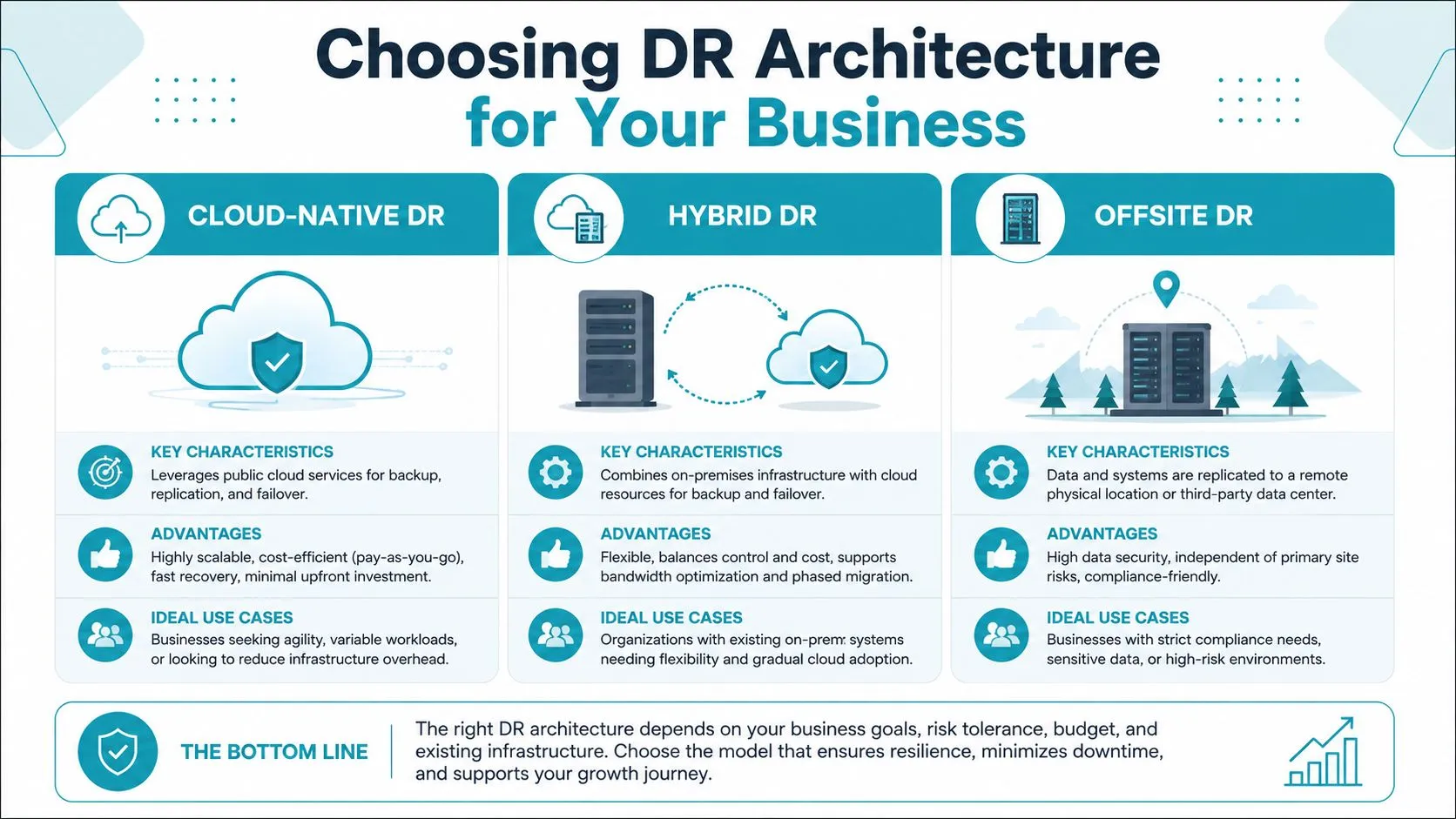
Choosing the Right DR Architecture for Your Business
Architecture decisions come down to trade-offs. Faster recovery usually costs more. Better isolation usually adds operational steps. Simpler designs are easier to run, but they may not support aggressive recovery targets.
Three common models
The most common patterns for ERP-related backup and disaster recovery in the mid-market are cloud-native, hybrid, and offsite isolated backup.
| Model | What it suits | Main strength | Main trade-off |
|---|---|---|---|
| Cloud-native DR | Businesses that need faster platform and application recovery | Strong speed and automation | Higher ongoing cost and design complexity |
| Hybrid DR | Firms with mixed cloud, plant, edge, or legacy workloads | Flexible across multiple environments | More dependency mapping and coordination |
| Offsite or isolated backup | Businesses prioritising ransomware resilience and clean recovery points | Strong separation from production compromise | Slower business resumption than hot or warm failover |
Cloud-native DR
This model is usually the best fit where the business can’t tolerate long disruption to transactional workflows. It often relies on provider-native resilience features, replication, and automation around core cloud workloads.
For cloud ERP estates, this approach makes sense when the platform is central but not standalone. If NetSuite is integrated with Salesforce, HubSpot, SPS Commerce, or bank file automation, the architecture needs to restore the surrounding service chain, not just the ERP record set. Cloud-native designs can support that well, provided the dependency map is mature.
A common mistake is paying for cloud redundancy without proving application-level recovery. Fast infrastructure failover doesn’t automatically mean receivables, warehouse confirmations, or approvals are usable.
Hybrid DR
Hybrid designs are common in Australian manufacturing, field service, and distribution businesses because not everything sits neatly in one SaaS layer. A business may run cloud ERP, local warehouse devices, plant-floor systems, shipping stations, label printers, and third-party logistics connections across several sites.
That creates more moving parts, but it can also be practical. Epicor Kinetic sites often need this kind of thinking, especially where MES, scheduling, or on-site operational tools are involved. MYOB Acumatica environments with local document capture, payroll connections like KeyPay or ELMO, and finance automation tools can face similar challenges.
A hybrid design works when teams accept that recovery sequencing matters more than simple platform status. If site connectivity, identity services, and integration middleware aren’t included in the plan, hybrid DR can look complete on paper and fail in real operations.
For a broader operational view of safeguarding business IT systems, it’s useful to compare how different recovery models address infrastructure, applications, and business continuity together.
A short explainer on the architecture options can help frame the decision:
Offsite and isolated backup
This model matters because clean recovery is often more important than fast recovery after a cyber event. If an attacker or privileged user can alter backup sets, your recovery path may be compromised before you know there’s an incident.
Offsite and isolated backup designs are well suited to protecting finance records, configuration history, exports, attachments, and critical operational data from corruption or malicious change. They are especially useful where the business wants a defensible fallback even if day-to-day production credentials are compromised.
A slower clean recovery is often worth more than a faster corrupted recovery.
The right architecture isn’t the one with the most features. It’s the one that matches your downtime tolerance, your process dependencies, and your budget discipline.
Testing, Governance, and Building a Resilient Culture
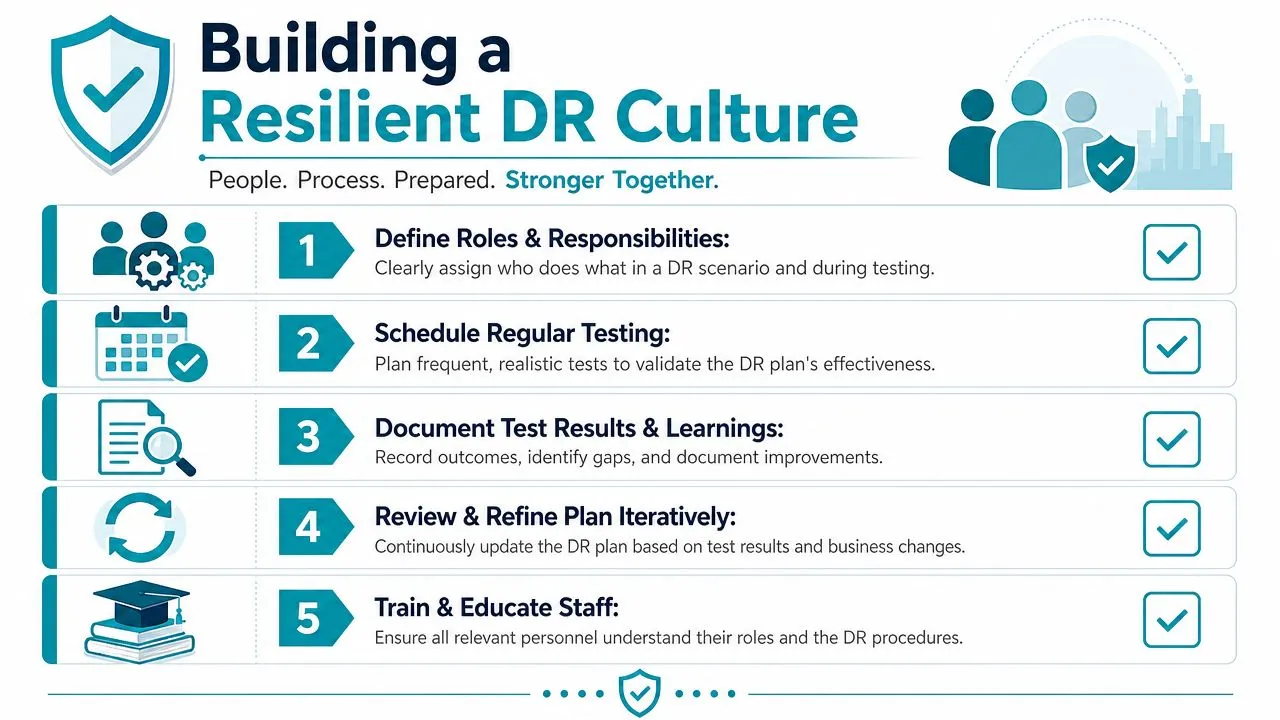
A disaster recovery plan that isn’t tested is just an assumption.
That sounds harsh, but it’s the operational truth. Teams often discover the actual issues only when they try to restore a live process under time pressure. Credentials are out of date. A dependency wasn’t documented. An integration token expired. A backup completed, but the restore sequence fails because the application needs supporting services in a specific order.
Testing has to prove something specific
A strong DR posture should include immutable backups and a documented testing cadence. Practical guidance recommends monthly file restores, quarterly application restores, and at least annual full recovery exercises, with immutable copies helping protect against ransomware and operator error, according to Cloudian’s disaster recovery planning guidance.
Those three test layers matter because each proves a different part of recoverability:
- Monthly file restores check whether the basic backup mechanism works, whether the data is accessible, and whether staff know where to find it.
- Quarterly application restores prove the application can be brought back in a usable state, not just that files exist.
- Annual full recovery exercises expose whether people, roles, communications, dependencies, and business sequencing hold up under stress.
Governance is what makes testing repeatable
The businesses that recover well usually treat DR governance like a standing operating discipline, not an annual project.
That means:
-
Clear ownership
Someone in IT may run the technology, but finance, operations, warehousing, and leadership need assigned roles for decision-making during an incident. -
Documented escalation paths
If a restore fails or the event becomes reportable, teams shouldn’t debate who can approve emergency actions. -
Evidence capture
Every test should leave an audit trail covering what was tested, what passed, what failed, and what changed. -
Plan maintenance
Every new integration, workflow, entity, site, or vendor handoff should trigger a DR review.
For organisations tightening oversight around resilience, broader governance, risk management and compliance software can support documentation, accountability, and evidence handling around this process.
Operational advice: Test the exact workflow you care about. “ERP restored” is not a meaningful pass result if dispatch, payment processing, or approval routing still fail.
Culture shows up during the first hour of an incident
Technology matters, but culture decides how quickly the business stabilises. The first hour of a serious outage is rarely a pure technical exercise. Finance wants to know invoice status. Sales wants to know order impact. Warehouse leaders want to know what can still ship. Executives want a decision path, not a technical debate.
The following practices usually separate mature teams from exposed ones:
-
Run realistic scenarios
Include cyber compromise, accidental deletion, failed integration updates, and site-level disruption. Don’t only test clean, simple outage cases. -
Train non-IT leaders
A CFO, COO, or operations manager should know the basic incident playbook, the recovery order, and the threshold for executive escalation. -
Use immutable copies as a baseline control
If recovery data can be altered by the same credentials that run production, the design has a major weakness. -
Review the plan after every change event
A new Boomi flow, a new Coupa approval route, a new warehouse integration, or a changed payroll export can undermine a recovery assumption.
The organisations that handle DR best don’t just back up systems. They rehearse decisions.
Meeting Australian Compliance and Data Residency Rules
For many Australian businesses, recovery capability isn’t optional. It sits inside governance.
The Australian Prudential Regulation Authority’s CPS 234, effective since July 2019, requires regulated entities to maintain information security capability appropriate to threats and vulnerabilities, including arrangements for data recovery and disaster recovery, and it requires notification of material incidents within 72 hours and material information security control weaknesses within 10 business days, as summarised in this CPS 234 overview. That changed the conversation. Disaster recovery moved from an internal IT matter to a documented compliance and oversight obligation.
Why CPS 234 affects more than regulated entities
If you’re a bank, insurer, or superannuation trustee, the expectation is explicit. If you supply those sectors, the expectation often flows downstream through procurement, vendor due diligence, and contract terms.
That’s why many mid-market firms now need to evidence more than backups. They need to show:
- Documented recovery procedures
- Defined accountability
- Test evidence
- Control over where data is stored and recovered
- Confidence that incidents can be assessed and escalated quickly
A cloud ERP project can strengthen compliance, but only if the DR design covers the whole operating model. That includes integrations, reporting outputs, document storage, user access, and external processors.
Data residency needs a deliberate answer
Data residency is often discussed too narrowly. It isn’t just about where the production ERP instance sits. It also covers where backups are stored, where replicated data may move during failover, where support teams access information from, and where integrated tools process records.
For Australian and New Zealand businesses, this matters most when finance, payroll, procurement, and customer data flow across multiple vendors. If your ERP connects to expense tools like Expensify, Webexpenses, or ProSpend, invoice automation platforms like Medius, Zudello, Lightyear, or Coupa, and integration layers such as Celigo, Jitterbit, or Boomi, the recovery design should document the data path, not just the core application.
Compliance maturity shows up in operational detail
A compliant posture is usually visible in ordinary decisions:
| Area | Weak approach | Strong approach |
|---|---|---|
| Recovery documentation | Generic IT runbook | Process-level documented restoration plan |
| Testing | Ad hoc restores | Scheduled tests with evidence and follow-up |
| Incident handling | Informal notifications | Defined triage and escalation thresholds |
| Data location | Assumed vendor default | Documented residency and backup locations |
Compliance isn’t a separate stream from disaster recovery. It’s one of the reasons the recovery design has to be specific, testable, and governed.
Implementing Your Strategy with OneKloudX
Execution is where disaster recovery plans succeed or fail.
For an Australian mid-market business, the priority is not bringing every system back at once. The priority is restoring the workflows that protect revenue, cash flow, customer commitments, and statutory obligations. In practice, that usually means sales order processing, dispatch, invoicing, receipting, purchasing approvals, payroll interfaces, and month-end finance controls before lower-value reporting or secondary tools.
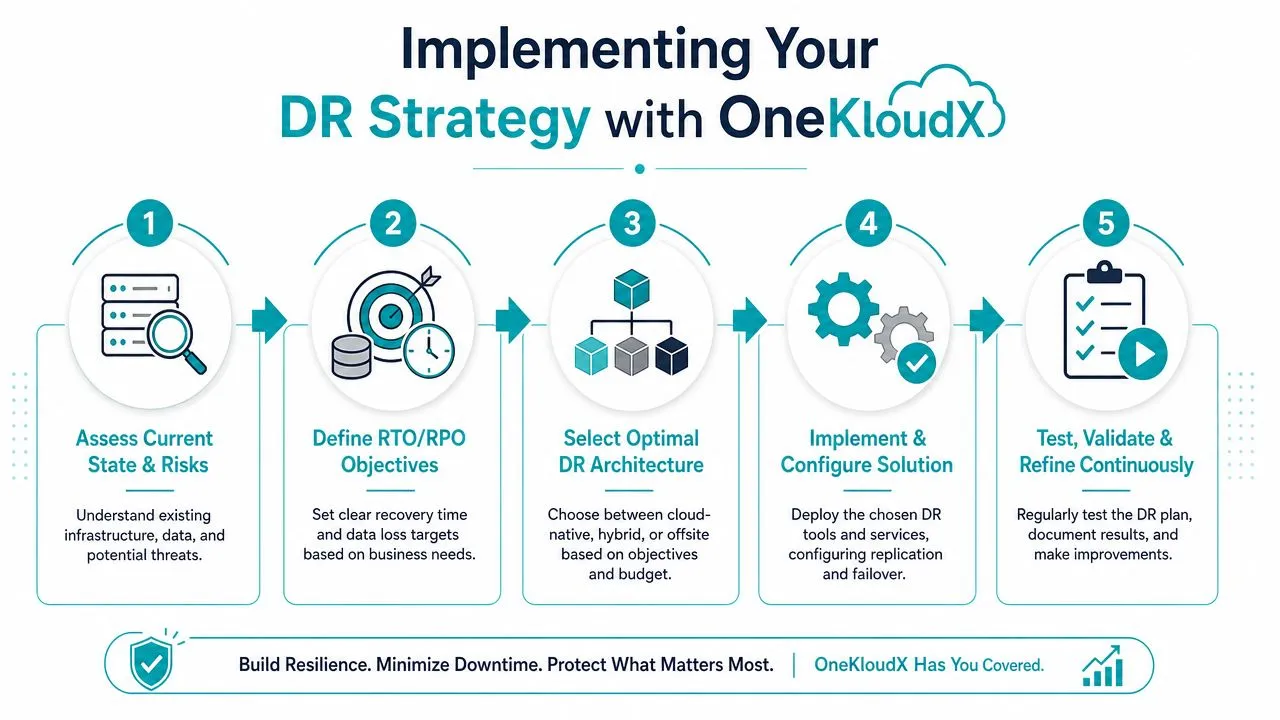
A workable implementation programme for cloud ERP usually follows this order:
-
Assess the current state
Map the ERP, connected applications, integrations, users, and critical reports. Include Oracle NetSuite, Epicor Kinetic, or MYOB Acumatica, plus the tools the business depends on to sell, ship, pay, and report. -
Identify the workflows the business cannot afford to lose
Focus on order-to-cash, procure-to-pay, financial close, payroll-linked processes, warehouse execution, and production continuity. These workflows often reveal hidden dependencies, especially across approvals, file transfers, API jobs, and third-party connectors. -
Set recovery targets by process
Define realistic RTO and RPO targets for each workflow. A four-hour recovery target for invoice generation may be acceptable. A four-hour recovery target for warehouse scanning during peak dispatch may not be. -
Choose the right architecture
Match the recovery design to risk, budget, compliance exposure, and internal capability. Some firms need faster failover. Others place more value on isolation, audit evidence, and tighter control over where recovery data is stored and who can access it. -
Cover the full operating stack
If the business relies on Workato, Celigo, Boomi, or Jitterbit for orchestration, those integrations need recovery steps and test evidence. The same applies to Netstock for planning, 3DLogistiX or CartonCloud for warehouse and logistics operations, HubSpot or Salesforce for demand flow, KeyPay or ELMO for people processes, and finance controls through BlackLine, Kyriba, Zone and Co, Avalara, or Salto. -
Test in business sequence
Prove that staff can complete real tasks after recovery. Can customer service enter an order? Can the warehouse release it? Can finance issue the invoice and reconcile the receipt? Access to the login screen is not a recovery outcome.
The shared responsibility model needs to stay visible throughout this work. Cloud ERP vendors provide platform resilience, but they do not automatically recover your custom integrations, reporting logic, user procedures, approval paths, or downstream operational tools in the order your business needs. That gap is where many recovery programmes fall short.
OneKloudX approaches disaster recovery as business process continuity, not just infrastructure restoration. That distinction matters for ANZ firms running NetSuite, Epicor Kinetic, and MYOB Acumatica, particularly where CPS 234 obligations, audit scrutiny, and ACSC-driven cyber risk are part of the operating environment. The practical question is simple. What has to run first for the business to keep trading, paying staff, serving customers, and closing the books?
For organisations that need ongoing operational cover after implementation, structured outsourced IT support helps keep recovery procedures current as integrations, users, and process changes accumulate.
Recover the workflow that generates revenue, protects cash, or satisfies compliance first. Everything else follows from that decision.
A mature backup and disaster recovery strategy restores the business in controlled waves. It starts with the processes that keep the company viable, then extends to the rest of the environment once trading and control are back in hand.
If your business runs Oracle NetSuite, Epicor Kinetic, or MYOB Acumatica and needs a practical, process-led backup and disaster recovery strategy, OneKloudX can help you assess risk, define recovery priorities, and build a recovery plan that fits Australian operational and compliance realities.