Month-end shouldn’t feel like a controlled crash.
Yet that’s where many finance teams in Australian and New Zealand mid-market businesses end up. Data comes out of the ERP, then out of payroll, then out of the CRM, then someone copies figures into a master workbook that only two people understand. A formula breaks. A tab gets overwritten. The board pack changes after the CFO has already reviewed it.
That’s usually the point where the spreadsheet argument ends. Not because spreadsheets are useless, but because they stop being a reliable operating model once the business adds entities, warehouses, currencies, business units, or tighter compliance obligations. In manufacturing and distribution, the pressure is worse. Margin shifts quickly, stock holdings move, FX exposure matters, and intercompany activity can turn a routine close into a week of rework.
Financial reporting software fixes a specific problem. It gives finance a controlled way to consolidate, validate, report, and analyse data without rebuilding the same logic every month. When it’s implemented properly and connected to platforms such as Oracle NetSuite, Epicor Kinetic, or MYOB Acumatica, it becomes part of the finance operating model, not just another reporting tool.
Moving Your Business Beyond Spreadsheet Chaos
The familiar pattern starts small. A Sydney distributor adds a New Zealand entity. Then a second warehouse. Then a new sales channel. Finance keeps pace by adding more tabs, more linked workbooks, and more manual checks. It works, until it doesn’t.
A finance manager exports trial balances from the ERP, another team member reconciles spend data from an expense platform, and someone else pulls payroll details into a reporting pack. By the time the CFO reviews the numbers, the business has already moved on. What should have been a management tool becomes a historical document.

Where spreadsheets start breaking down
The issue usually isn’t Excel itself. The issue is using Excel as the system of record for a business that has outgrown manual control.
Common warning signs look like this:
- Version confusion: Finance, operations, and leadership are all reviewing different files.
- Manual exports everywhere: ERP, bank, payroll, CRM, and expense data all need separate handling.
- Entity complexity: Intercompany balances, transfer pricing, and eliminations are tracked outside the core system.
- Late exceptions: Errors are found at the board pack stage instead of earlier in the close.
- Key person risk: One analyst knows how the workbook works, and no one wants them on leave.
If you’re still trying to streamline bookkeeping with tools like ConvertBankToExcel, while juggling multiple data sources, that can be a useful bridge. It won’t replace a reporting platform, but it can reduce manual bank data handling while you clean up the upstream process.
Practical rule: If finance spends more time assembling numbers than explaining them, the reporting model is already under strain.
What changes when reporting is systemised
Financial reporting software shifts the workload from manual preparation to governed automation. Data comes in through defined integrations, rules are applied consistently, and report outputs become repeatable. The finance team stops acting as a human middleware layer.
That matters beyond efficiency. It changes the role of finance from scorekeeper to decision support. A CFO can review entity performance, gross margin movement, and working capital trends without waiting for a workbook to be rebuilt. That’s the difference between reporting on the month and managing the business through the month.
For firms planning broader digital transformation in finance, this is usually one of the first changes that produces visible operational value.
The Core Capabilities of Modern Financial Reporting Software
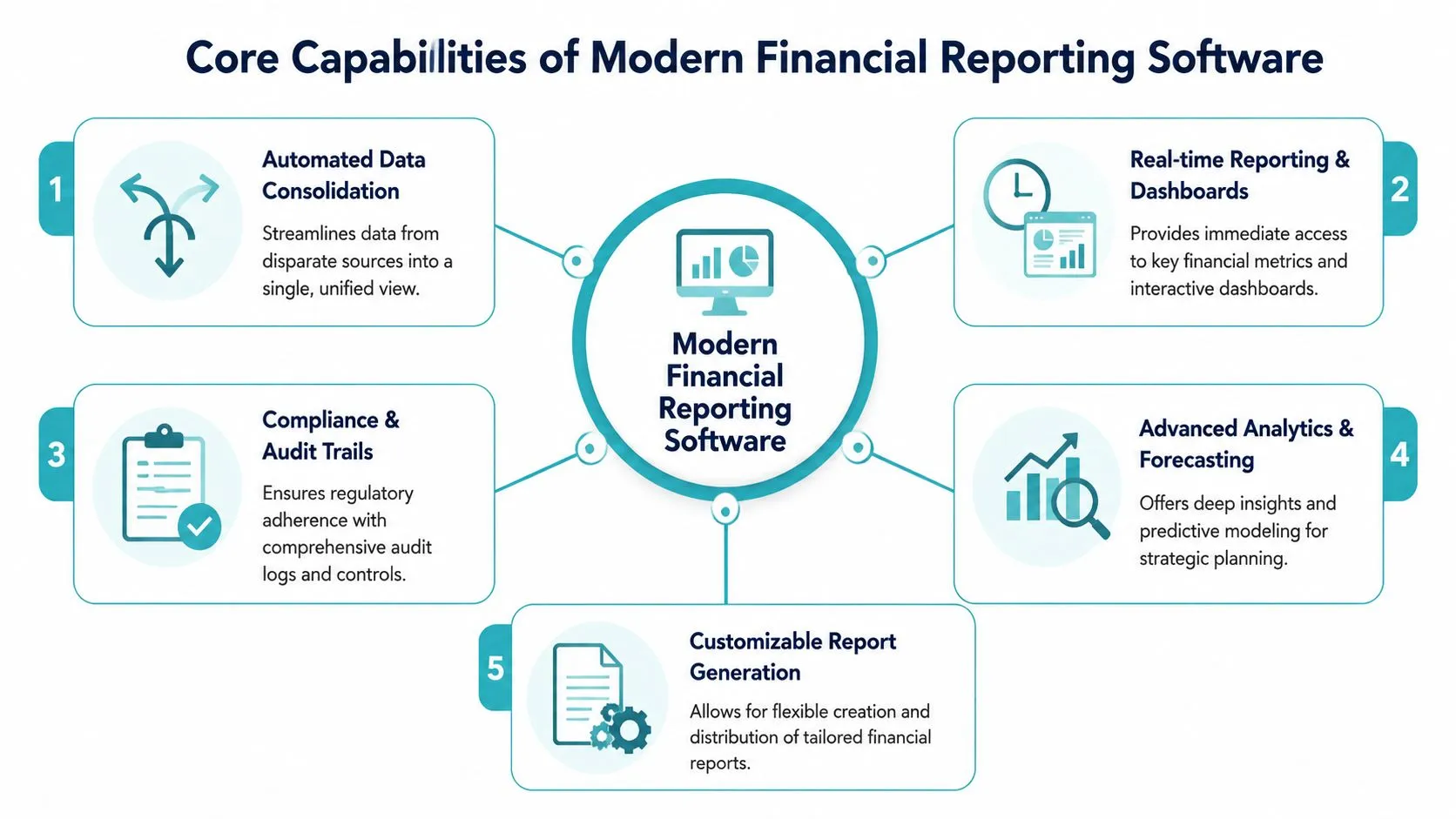
A useful way to assess financial reporting software is to treat it as five building blocks. If one is missing, finance usually ends up patching the gap with spreadsheets.
Consolidation without workbook gymnastics
The first building block is data consolidation. Good platforms pull financial data from the general ledger, sub-ledgers, and related systems into a single reporting layer. That removes the monthly ritual of exporting, matching, and reformatting.
For a Melbourne manufacturer with separate entities for local production, New Zealand distribution, and an offshore sales office, consolidation means finance can produce group numbers from governed data rather than linked tabs.
Multi-entity and multi-currency control
The second building block is support for multi-entity and multi-currency reporting. This matters quickly once a business expands beyond one legal structure or transacts across borders.
A practical example is a company headquartered in Brisbane with subsidiaries in Auckland and Singapore. Finance needs entity-level reporting, group consolidation, currency translation, and intercompany visibility without rebuilding each report from scratch.
Automation that removes repetitive effort
The third building block is process automation. This includes automated refreshes, scheduled report runs, approval workflows, and rule-based transformations. It’s the difference between “download, clean, paste, check” and “review exceptions, approve, distribute”.
If your team still trains junior analysts by handing them a monthly report assembly checklist, automation is where the biggest practical lift usually sits.
For leaders who still need a refresher on the structure behind management reporting, this P&L components and Excel analysis guide is a helpful reference before you redesign reporting outputs.
Audit trails and governance
The fourth building block is auditability. Finance needs to know who changed what, when they changed it, and what source data was used. Without that, every discrepancy turns into a detective exercise.
This is especially important when reporting pulls from multiple systems such as payroll, AP automation, spend management, and CRM platforms. A clean audit trail shortens review cycles and reduces friction with auditors.
Systems don’t need to make finance flashy. They need to make numbers trustworthy.
Analytics that drive decisions
The fifth building block is analytics. In this area, reporting software moves beyond statutory output and starts supporting management action. Dashboards, variance analysis, and drill-down matter more than attractive charts. If users can’t trace a number back to a transaction or operating driver, the dashboard won’t help much.
The current market reflects these different needs. The financial reporting software sector includes specialised solutions for specific requirements. Syntellis is suited to data-intensive sectors, Prophix offers AI-assisted variance detection, and Vena provides strong Excel integration. A strong contender if you’re native to NetSuite is of course their Budgeting & Planning solution. The former products often sit alongside ERP-native capabilities in Oracle NetSuite or alongside connected tools such as BlackLine for close processes and Kyriba for treasury visibility.
Building the Business Case for Your ANZ Business
The internal business case usually succeeds when it’s framed around three outcomes, ROI, compliance, and better decisions. If the proposal leans too heavily on “modernisation”, it tends to stall. CFOs need a tighter argument than that.
ROI starts with time and error reduction
In Australian mid-market manufacturing and distribution, financial reporting software can cut month-end close cycles by 65 to 75%, reduce manual entry error rates from 12% to below 1%, and free up 40% of finance team time from reconciliation to forecasting, based on OneKloudX case studies and HighRadius benchmarks discussed in HighRadius’ review of financial reporting tools.
Those numbers matter because they change the labour mix inside finance. The point isn’t just to close faster. It’s to redirect capable finance staff away from repetitive reconciliation and into margin analysis, scenario planning, and cash management.
A practical ANZ example is a distributor running multiple legal entities with stock across several warehouses. If the finance team spends the first half of each month reconciling intercompany balances and correcting spreadsheet issues, management gets stale information. Faster close and lower error rates directly improve control and timeliness.
Compliance gets easier when rules are embedded
For ANZ businesses, the compliance case is often just as strong as the productivity case. AASB reporting requirements, intercompany eliminations, tax reporting, and lease accounting become harder to manage when logic sits in manual files.
Financial reporting software doesn’t remove professional judgement. It does make rule application more consistent. That’s particularly useful for firms using Epicor Kinetic or MYOB Acumatica across multiple entities and trying to standardise eliminations, board reporting, and management packs.
Board-level question: Can finance explain how a reported number was produced, or only where it was copied from?
This short overview is worth watching if you’re socialising the case internally and need a non-technical way to frame the value of better reporting infrastructure.
Strategic insight is what justifies the investment
The strongest proposals don’t stop at efficiency. They show how better reporting changes decision quality. Real-time visibility into margin by entity, product line, or channel helps leadership respond earlier. Integrated reporting also creates a stronger base for AI-driven analysis through tools such as Cauzzy AI, forecasting platforms, or treasury overlays.
That’s the point where the business case moves from “finance tool” to “management system”. For many CFOs, that’s the argument that lands.
An Evaluation Checklist for Mid-Market Firms
Most software selections go wrong before demos start. The team narrows the field based on feature lists, then discovers too late that integration is clumsy, entity structures don’t fit, or local support is thin. A better approach is to force practical questions early.
Questions worth asking before you shortlist
A mid-market ANZ business should evaluate financial reporting software in the context of its actual architecture. That means the ERP, payroll, expense tools, procurement workflow, BI stack, and any industry systems that affect finance. In manufacturing and distribution, warehouse and inventory data often shape reporting just as much as the general ledger does.
The checklist below works well in discovery workshops because it surfaces trade-offs quickly.
| Evaluation Area | Key Question to Ask | Why It Matters |
|---|---|---|
| ERP integration | Does it connect natively with Oracle NetSuite, Epicor Kinetic, or MYOB Acumatica, or will you need middleware such as Workato, Celigo, Boomi, or Jitterbit? | Integration design affects reporting latency, support effort, and how much custom logic ends up outside the ERP. |
| Multi-entity fit | Can it handle your legal structure, intercompany eliminations, and group reporting without manual workarounds? | If entity logic sits in spreadsheets, the software won’t solve the real problem. |
| Multi-currency support | How are translations, revaluations, and reporting views managed across currencies? | ANZ firms trading offshore need consistent treatment of FX impacts and group performance. |
| Data governance | Is there an audit trail for data refreshes, mapping changes, and report approvals? | Strong governance reduces rework during audits and internal review. |
| Compliance support | Can the platform support AASB, NZ IFRS, BAS, FBT, and lease reporting requirements through controlled processes? | Local compliance needs should shape the reporting model, not be bolted on later. |
| Reporting flexibility | Can finance create board packs, management packs, and exception reports without vendor dependence? | If every report change needs consulting effort, adoption will slow quickly. |
| Scalability | Will it still work when you add entities, locations, users, or transaction volume? | Mid-market firms often buy for today and regret it after the next acquisition or expansion. |
| User adoption | Can finance staff use it comfortably, and can non-finance leaders consume the outputs easily? | A technically strong platform still fails if users go back to shadow spreadsheets. |
| ANZ delivery capability | Does the implementation partner understand local tax, payroll, and reporting realities? | Regional context matters when designing workflows, controls, and support arrangements. |
| Total cost of ownership | What are the ongoing admin, integration, support, and change-request costs? | A low subscription price can hide expensive long-term complexity. |
What strong evaluation looks like in practice
Good evaluation workshops usually expose one of two truths. Either the business can get a lot of value from ERP-native reporting with a few targeted extensions, or it needs a more specialised reporting layer because the operating model has outgrown the core platform.
That’s why architecture-led discovery matters. OneKloudX uses that style of upfront assessment to map reporting needs to process design, integrations, and operating risk before implementation starts. It’s a more reliable way to choose than scoring polished demos.
Integrating Software with Your Core ERP System
Most reporting problems are integration problems in disguise.
A finance team may buy capable software, but if the ERP, CRM, payroll, AP automation, and sub-ledgers don’t feed it cleanly, the reporting layer becomes another place where errors are visible. The design question isn’t “Which dashboard looks best?” It’s “Where will trusted data come from, how often, and under what controls?”
Native reporting versus specialist tools
There are two sensible patterns. The first is to use the reporting capabilities already inside the ERP. Oracle NetSuite, Epicor Kinetic, and MYOB Acumatica all give finance a solid reporting base, particularly when chart of accounts design, dimensions, and entity structures are clean.
The second is to add a specialist reporting or finance operations tool when the business needs deeper functionality. That might be BlackLine for close controls, Kyriba for treasury visibility, or a dedicated financial reporting platform for more advanced consolidation and analytics.
Neither approach is automatically right. Native reporting keeps the stack simpler. Specialist tools add flexibility and depth, but they only work if data architecture is disciplined.
The role of integration platforms
Advanced financial reporting software can deliver a 95% reduction in report preparation time and 80% faster reporting delivery by eliminating manual data extraction, with data pulled and validated in real time from ERPs, CRMs, and sub-ledgers.
That kind of result usually depends on proper integration. In practice, that’s where tools such as Workato, Celigo, Boomi, and Jitterbit come in. They help connect the ERP to payroll platforms like KeyPay or ELMO, spend tools such as ProSpend, Webexpenses, Expensify, Medius, Zudello, or Lightyear, and commercial systems like HubSpot or Salesforce.
The reporting platform should be the consumer of governed data, not the place where broken upstream processes are repaired.
A practical architecture choice
For many mid-market firms, the right answer is hybrid. Keep core financial truth inside the ERP. Use integration middleware to standardise inbound and outbound data flows. Add specialist tools only where they solve a real operational gap.
That approach usually ages better than chasing an all-in-one promise. It also gives finance a cleaner path to scale when the business adds new entities, channels, or systems.
An Implementation Playbook for Manufacturing and Distribution
Manufacturing and distribution businesses need a different implementation approach from service firms. Inventory, warehousing, landed costs, production, and intercompany stock movements all affect financial reporting. If you ignore those operational layers, management reporting won’t line up with how the business runs.
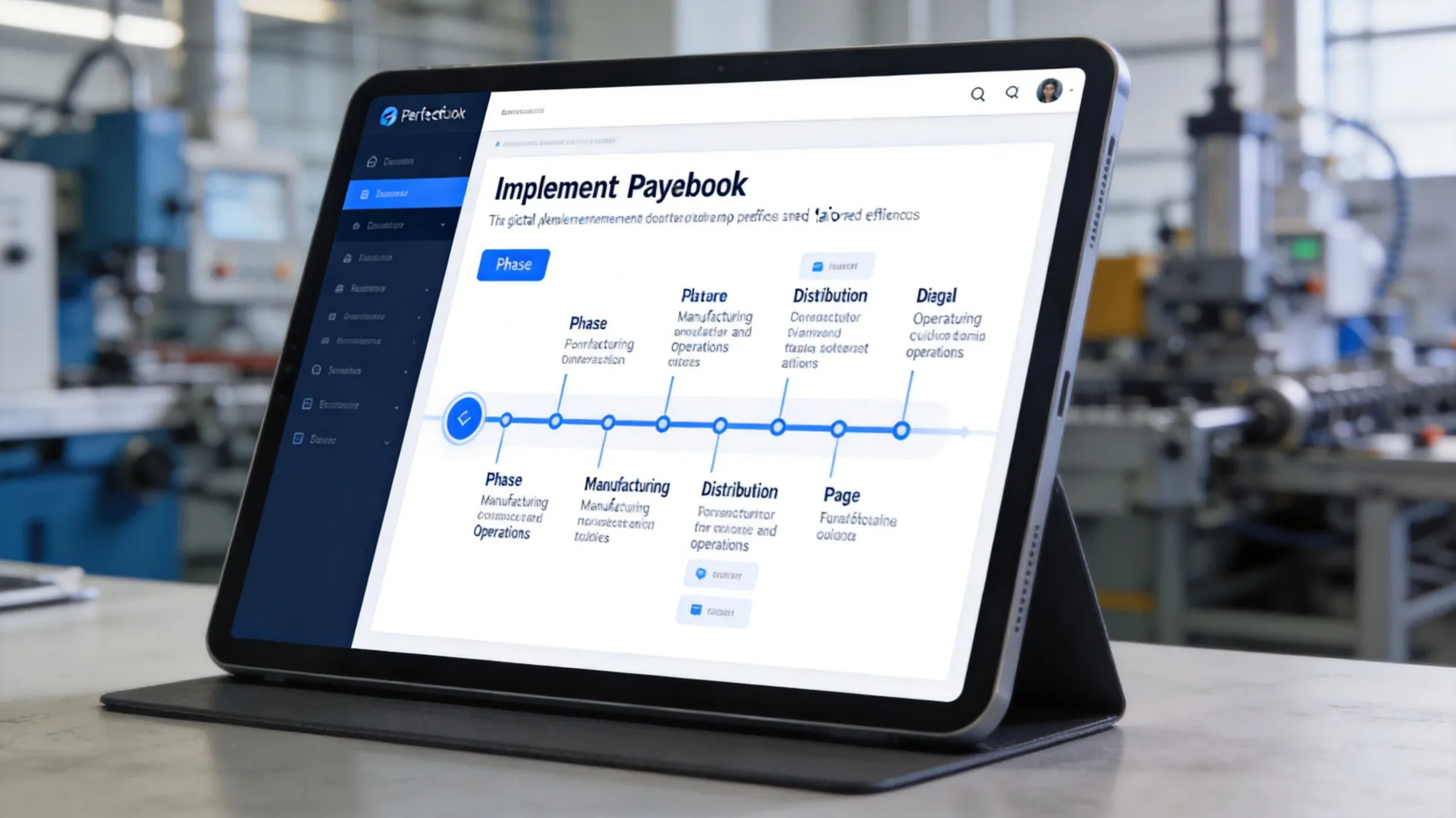
Phase one, map the real data flows
Start with source systems, not report templates. Identify where financial truth comes from and where operational context sits. In this sector, that often includes the ERP, warehouse systems, freight data, payroll, procurement platforms, and planning tools.
A distributor using CartonCloud for warehousing, Netstock for inventory planning, and a CRM for pipeline visibility shouldn’t begin by designing polished dashboards. The first job is to define entity structures, master data, dimensions, and ownership of each feed.
For manufacturers, this often extends to MES or shopfloor data, product configurators, and logistics systems such as 3DLogistiX. Reporting quality depends on whether those operational transactions are classified consistently before they ever reach finance.
Phase two, build controls before visuals
Once mappings are clear, build automation and validation rules. That includes intercompany logic, approval paths, reporting calendars, and exception handling. Dashboards come later.
For AU/NZ firms with multi-currency operations, integrated reporting tools can automate ATO-compliant BAS and FBT reporting and IFRS 16 lease management, cutting compliance reporting time by 50 to 70%. Benchmarks referenced in Abacum’s review of financial reporting software tools also note AI-driven anomaly detection for material FX-driven revenue variances and real-time KPI dashboards that can accelerate decision-making by up to 70%.
Those outcomes depend on good implementation discipline. If the chart of accounts is inconsistent across entities or if lease data is incomplete, software won’t fix the underlying reporting problem.
A useful industry reference point is this broader guide to ERP for manufacturing environments, because financial reporting quality is tightly linked to production, inventory, and fulfilment design.
Phase three, test with live exceptions
User acceptance testing should use awkward real-world scenarios, not only neat samples. Test returns, credit notes, intercompany stock transfers, late journals, FX shifts, and reporting cut-off issues. That’s where weak mappings usually show up.
A practical implementation cadence often looks like this:
- Data discovery: Confirm systems, entities, dimensions, ownership, and data quality issues.
- Rule design: Define consolidations, eliminations, report logic, and approvals.
- Integration build: Connect ERP, payroll, expense, and operational systems.
- Exception testing: Run month-end scenarios that reflect actual manufacturing and distribution complexity.
- Adoption support: Train finance and operational managers on how to use outputs, not just how to click through screens.
A reporting implementation succeeds when finance trusts the numbers on day five of close, not only on go-live day.
A structured delivery method helps here. FlexSafe, for example, is designed around people, process, and risk reduction, which is exactly what these projects need when scope starts expanding and operational edge cases appear.
From Reporting to Real-Time Intelligence
The actual shift isn’t from spreadsheets to software. It’s from delayed reporting to usable financial intelligence.
Once reporting is integrated with the ERP and the surrounding finance stack, the CFO gets a cleaner view of entity performance, working capital, compliance exposure, and operational drivers. Finance stops burning time on data assembly and starts spending more time on decisions that affect margin, cash, and growth.
That’s especially important in ANZ manufacturing and distribution, where complexity builds. More warehouses, more entities, more currencies, more channels. Manual reporting doesn’t usually fail all at once. It fails by becoming too slow, too fragile, and too dependent on a few people.
If you want to get more value from your core systems, the next step is understanding how to turn ERP data into a management asset, not just a month-end output. This perspective on unlocking the power of ERP data is a practical place to start.
If your finance team is still stitching together reports by hand, it’s worth speaking with OneKloudX about the architecture, integration, and operating model required to move to controlled, real-time financial reporting across Oracle NetSuite, Epicor Kinetic, or MYOB Acumatica.
If you’d like to schedule a meeting feel free to book a meeting.