
If you’re running a manufacturing business in Australia or New Zealand, there’s a fair chance your team already knows the pain points. A planner adjusts a spreadsheet. Purchasing works from a different version. The warehouse counts one number, finance closes on another, and production discovers a missing component only when the job is due to start.
That’s usually the moment stock control stops being an admin issue and becomes an operating model issue. For mid-market manufacturers, software to manage stock isn’t just about counting parts more neatly. It’s about protecting throughput, margin, compliance, and customer commitments across purchasing, production, warehousing, and finance.
The local context matters. AU/NZ manufacturers are dealing with GST, multi-entity structures, labour pressure, supplier volatility, and trans-Tasman logistics that don’t fit neatly into generic inventory tools. The software has to work in that reality.
Why Spreadsheets Are Costing Your Manufacturing Business
A common scenario looks like this. A manufacturer has one spreadsheet for raw materials, another for finished goods, and a few unofficial versions sitting with planners, buyers, and warehouse supervisors. It works until demand shifts, a supplier misses a delivery, or someone updates the wrong file.
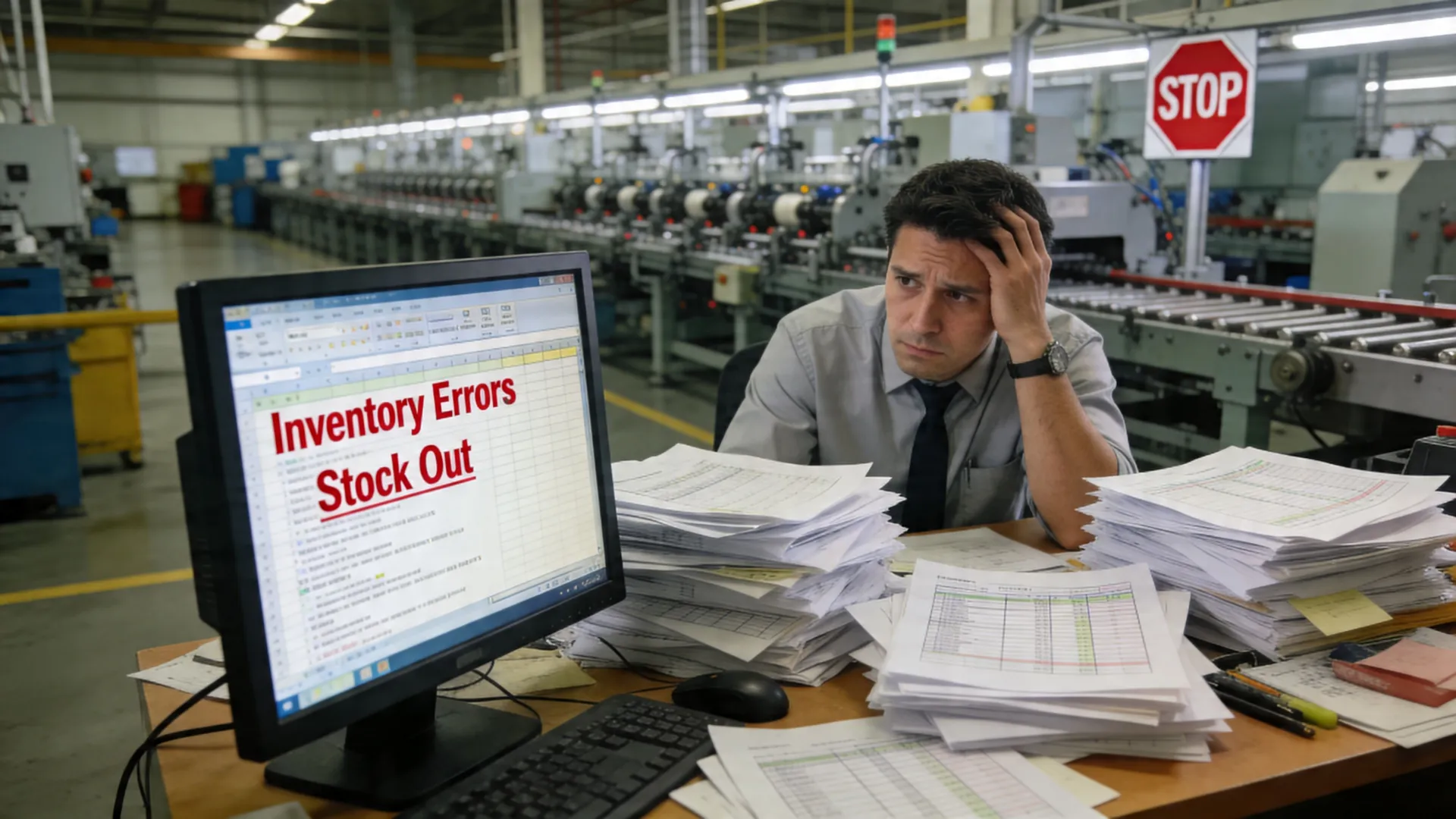
In that setup, the obvious problem is inaccurate stock. The less obvious problem is the chain reaction. Purchasing buys too much of one item because visibility is poor. Production runs short on another because work-in-progress isn’t tracked properly. Finance spends month-end reconciling transactions that should have been recorded once, at source.
Where manual stock control breaks down
Spreadsheets can’t reliably manage the moving parts of a manufacturing environment:
- Raw materials and WIP drift apart. Teams can see what was bought, but not always what’s committed to jobs, consumed on the floor, or sitting half-built.
- Traceability gets messy. Lot numbers, serials, batch status, expiry, and supplier links are hard to maintain when updates depend on manual discipline.
- Reordering becomes reactive. Buyers rely on memory, emails, or static reorder sheets rather than system-driven triggers.
- Multi-site visibility disappears. Once stock moves between warehouses or entities, people start calling each other to verify what should already be visible.
The hidden cost is decision latency. By the time someone confirms whether stock is really available, the production window has moved.
Spreadsheets rarely fail all at once. They fail at the exact point where the business starts growing or the supply chain gets less predictable.
Why the business case usually writes itself
Dedicated stock systems aren’t hard to justify once manufacturers put the full cost on the table. According to manufacturing inventory automation data compiled by Camunda ROI research, manufacturers implementing dedicated stock management software achieve 170-219% ROI over three years, with payback periods under 18 months, driven by 20-30% reductions in holding costs through real-time visibility and AI-driven forecasting.
That matters because inventory is working capital. Every excess pallet, duplicated purchase order, and missed shortage pulls cash away from more useful work.
A modern system changes the rhythm of the operation. Instead of chasing stock information after the fact, teams work from one record of demand, supply, production, and fulfilment. That’s the shift most manufacturers are really buying.
What Is Manufacturing Stock Management Software Really
The simplest way to describe manufacturing stock management software is this: it’s the control layer between what you plan to build and what you can make, ship, and account for.
A basic accounting inventory module tells you what came in and what went out. A manufacturing-grade system goes further. It tracks raw materials, work-in-progress, subassemblies, finished goods, locations, batches, serials, and replenishment logic in a way that supports production, not just bookkeeping.
More than a stock list
The manufacturing stock management software functions as the central nervous system of the factory. It links demand, procurement, warehouse activity, production orders, and financial impact. If a work order is released, the system knows what materials are needed. If those materials are short, purchasing sees it. If a batch is quarantined, customer service and operations can respond with the same facts.
That’s why manufacturers typically run this capability inside a broader ERP platform such as Oracle NetSuite, Epicor Kinetic, or MYOB Acumatica, rather than inside a lightweight stock app.
A manufacturing environment needs the system to understand:
- Bills of materials and how components roll up into finished goods
- Work-in-progress and staged consumption during production
- Reorder points and supply planning linked to real demand
- Quality, traceability, and recall paths
- Multi-location and multi-entity stock positions
- Cost movement between inventory, WIP, and finished goods
What it should do day to day
In practical terms, the software should answer the questions your leadership team asks every day:
| Operational question | What the system should show |
|---|---|
| Can we start this job today? | Available stock, committed stock, shortages, and inbound supply |
| What’s tied up in WIP? | Material issued, labour progress, and unfinished assemblies |
| Where is this batch now? | Warehouse, bin, customer shipment, or quarantine status |
| What do we need to buy next? | Reorder recommendations based on demand and lead times |
| Why is margin under pressure? | Inventory cost movement, waste, rework, and purchasing variance |
Practical rule: If the system can’t tell production, purchasing, warehouse, and finance the same version of the truth, it isn’t ready for manufacturing.
What it is not
It’s not just barcode scanning. It’s not just a stocktake tool. And it’s not a reporting layer added after the fact.
Manufacturing stock management software should actively shape how the business operates. It should trigger replenishment, support scheduling, preserve traceability, and feed clean data into financials. If it only tells you what happened yesterday, it’s an inventory register, not a manufacturing control system.
Unpacking the Core Features of Your Next Inventory System
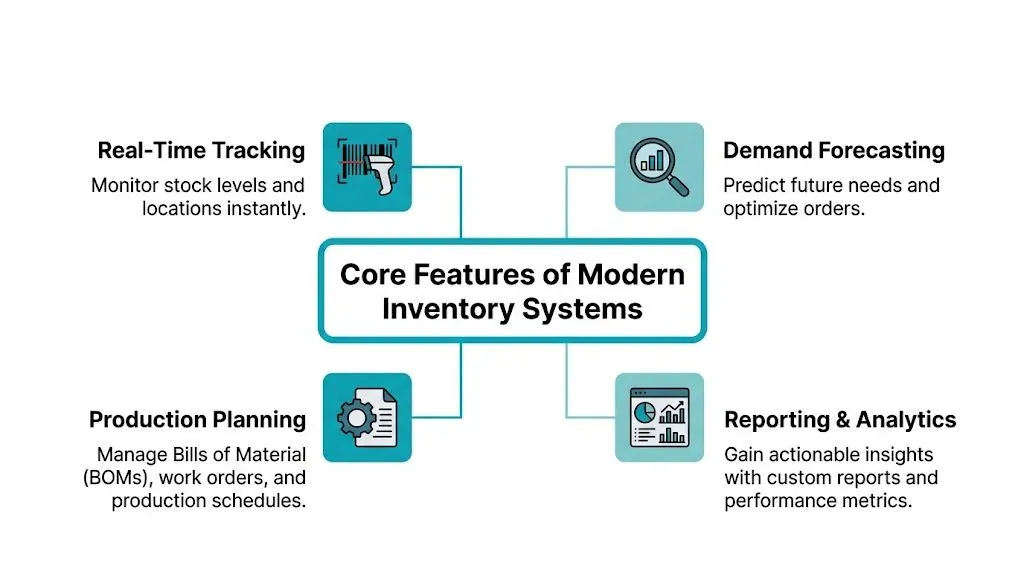
Feature lists can be misleading because most platforms sound similar in a demo. The better way to evaluate manufacturing stock management software is to ask what operational problem each feature solves.
BOM and production control
If you build anything more complex than a single-item finished product, BOM management is essential. The system needs to understand parent items, child components, substitutes, revisions, and the effect of changes across production.
A custom machinery builder, for example, might hold standard parts in stock while configuring assemblies differently for each customer. Without proper BOM control, planners end up checking component availability manually and issuing ad hoc purchasing requests. That creates avoidable delays and inconsistent costing.
Good BOM capability inside NetSuite, Epicor Kinetic, or MYOB Acumatica lets teams control revisions, issue materials against jobs, and see what shortages will block production before the job hits the floor.
For a more detailed view of how that connects to throughput and planning, this guide to manufacturing efficiency with NetSuite is a useful reference.
Real-time tracking and replenishment
A strong inventory system doesn’t wait for end-of-day updates. It records movements as they happen, through barcode scanning, warehouse transactions, and production activity.
That matters most when the operation spans multiple warehouses, production cells, or entities. A buyer shouldn’t need to ask three people whether stock is available in another location. The system should show on-hand, allocated, in-transit, and expected receipts in one place.
What works well in practice:
- Barcode-led transactions for receipts, picks, issues, and transfers
- Defined reorder points so low stock triggers action before the shortage hits production
- Mobile access for warehouse and floor teams
- Clear status control for available, hold, quarantine, and inspection stock
What doesn’t work is trying to bolt these controls onto a spreadsheet process. Teams end up with double handling, informal workarounds, and low trust in the numbers.
Lot and serial traceability
For food, pharma, chemicals, medical products, and other regulated sectors, lot and serial traceability isn’t optional. It’s the difference between a controlled recall and a prolonged operational mess.
According to recent research, advanced lot-serial traceability delivers full one-back/one-forward visibility, which is critical for AU compliance in sectors like food and pharmaceuticals, and can reduce recall costs by as much as 70%.
That “one-back/one-forward” concept matters. You need to know where a raw material came from, what finished goods it touched, and where those goods went. In practical terms, a food manufacturer should be able to answer a batch query in minutes, not by digging through paper, spreadsheets, and emails.
When traceability is weak, recall cost isn’t the only issue. Confidence disappears across operations, quality, and customer service at the same time.
Demand planning and forecasting
Most overstock and stockout problems start upstream. The issue isn’t the picker or the storeperson. It’s that purchasing and planning are working from stale assumptions.
Modern systems use historical demand, open orders, lead times, and replenishment logic to support better purchasing decisions. Some manufacturers also extend this with supply planning tools such as Netstock or AI-enabled support through Cauzzy AI, depending on the maturity of their planning process.
The important trade-off is this. Forecasting can improve buying discipline, but only if the underlying item master, lead times, and BOM data are clean. Bad master data turns a smart planning engine into a faster way to create wrong purchase orders.
Warehouse and integration capability
A mid-market manufacturer rarely operates in one system alone. Stock data needs to move between ERP, MES, WMS, freight, CRM, EDI, and supplier channels.
That’s where integration matters. If your warehouse relies on more advanced dispatch, scanning, or logistics processes, specialist tools such as CartonCloud, 3DLogistiX, SPS Commerce, or FernSpeed can extend what the core ERP does. Integration platforms such as Workato, Celigo, Boomi, and Jitterbit help connect those workflows cleanly.
A good inventory system should make integrations easier, not harder. If every extension depends on custom spreadsheets and email attachments, you haven’t solved the core problem.
Quantifiable Benefits and ROI for Your Business Case
The strongest business case for manufacturing stock management software isn’t “we need better software”. It’s “we need fewer production interruptions, less inventory drag, and faster operational decisions”.
Fewer stock discrepancies, fewer production surprises
If your current stock process relies on delayed updates, spreadsheet adjustments, and periodic reconciliations, the operational cost shows up as disruption. Jobs stall. Expediting increases. Supervisors spend time verifying data instead of running production.
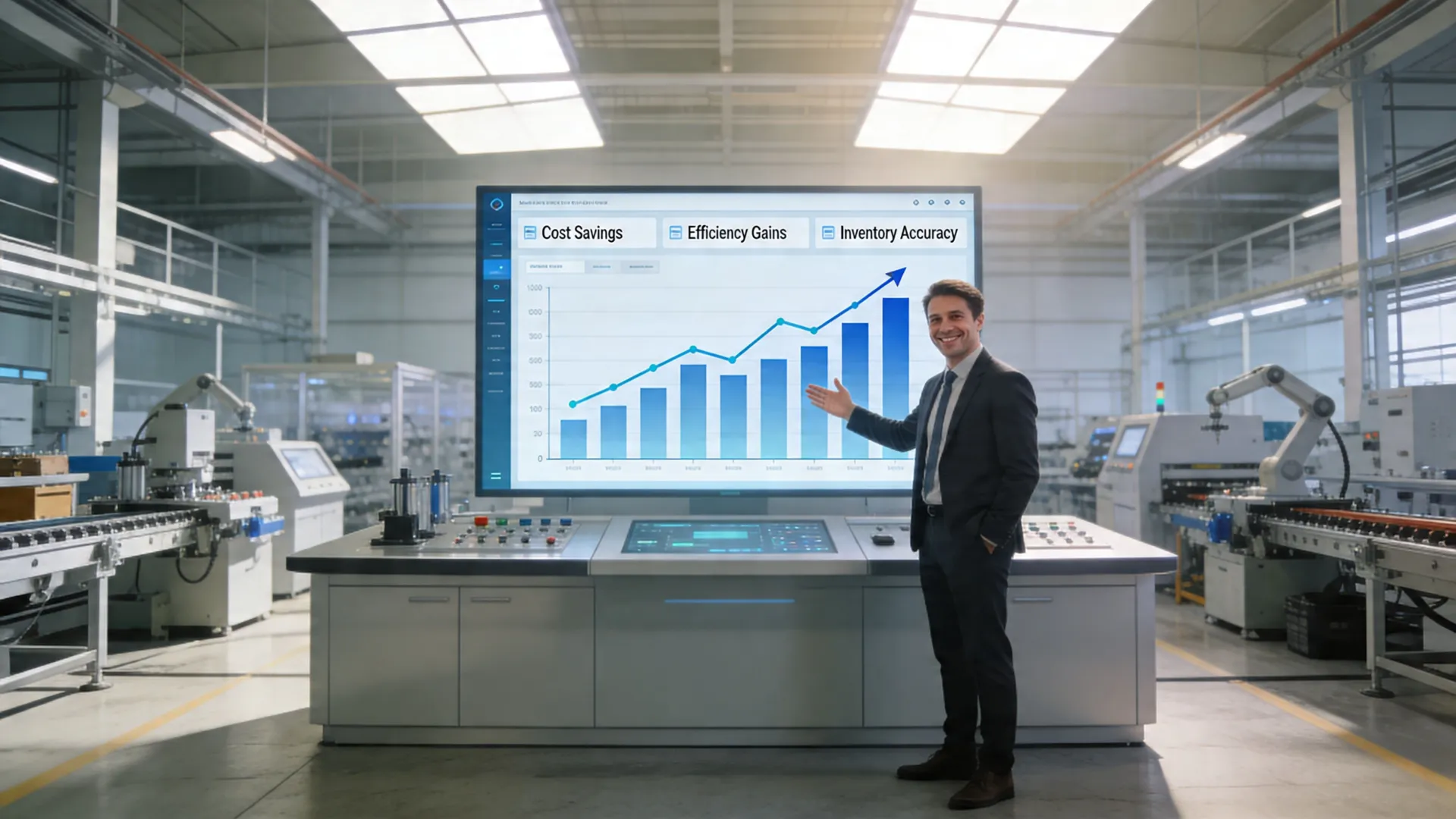
In Australian manufacturing, real-time inventory tracking integrated with ERP systems like Oracle NetSuite and MYOB Acumatica can achieve up to 95% inventory accuracy, reducing stock discrepancies by 40-60% compared to manual methods and preventing stockouts that cost local manufacturers an average of AUD 1.2 million annually.
That’s the number a COO can work with. Accuracy isn’t a vanity metric. It determines whether planners trust the system enough to release jobs on time.
Lower carrying cost without starving production
Most manufacturers don’t have one inventory problem. They have both at once. Too much of the wrong stock, not enough of the right stock.
The value of a better system sits in that tension. Better visibility, cleaner replenishment rules, and stronger planning reduce panic buying and dead stock without pushing service risk back onto the shop floor.
A sensible ROI model usually includes:
- Working capital released from lower excess stock
- Reduced premium freight and expediting
- Less write-off risk on obsolete or mismanaged inventory
- More productive planner and buyer time
- More reliable customer fulfilment
Where this gets overlooked is finance alignment. If inventory, procurement, and financial data are disconnected, the business can’t see the true cost of poor stock decisions. A unified data model matters as much as the warehouse process. For that reason, many teams start by reviewing how to streamline manufacturing data across ERP and operations.
Visibility that supports better leadership decisions
The biggest gain often isn’t on the warehouse floor. It’s in management cadence. A leadership team with reliable stock, supply, and production data can make decisions earlier.
That changes meetings from “what happened?” to “what do we do next?” It also improves accountability because operations, supply chain, and finance are looking at the same numbers.
Better inventory visibility doesn’t just improve the warehouse. It changes how quickly the business can respond to demand changes, supplier risk, and margin pressure.
For a CFO or COO, that’s usually the turning point. The investment isn’t in software alone. It’s in a more controllable operation.
Integrating Your Inventory System into Your ERP and MES
Inventory software on its own only solves part of the problem. Manufacturing data becomes useful when it flows cleanly between the shop floor, warehouse, purchasing, and finance.
How the stack should work
A practical manufacturing architecture usually looks like this:
- MES or shop floor process records what is being made, consumed, completed, or delayed.
- Inventory control inside the ERP updates stock, allocations, lot status, and replenishment needs.
- Financials reflect the movement into WIP, finished goods, purchasing, and cost of sales.
- Connected systems such as CRM, WMS, payroll, spend management, and supplier integrations use the same core records.
If one of those layers is disconnected, teams start building manual bridges. That’s where duplicate data and timing gaps creep in.
Why integration quality matters
According to Fishbowl’s manufacturing software overview, Australian manufacturing is dealing with a 25% skilled labour vacancy rate, and businesses are increasingly automating real-time MES syncing with inventory software to cut planning time by 50%. The same source notes that 41% of mid-market firms experience overstock from poor MES-ERP sync.
That trade-off is important. Automation helps, but only when the architecture is sound. Poor integration can make stock control worse by moving bad data faster.
A capable implementation should define:
- Which system owns each transaction
- How item, BOM, and location masters are governed
- What updates happen in real time and what can be staged
- How exceptions are surfaced to users
- How auditability is maintained for finance and compliance
The role of the integrator
Most manufacturers don’t need more software opinions. They need someone to design how the systems fit together.
If you want a plain-English explanation, this article on what a system integrator does and why they are essential for your project is worth reading before you commit to any architecture.
In the AU/NZ mid-market, that often means connecting ERP platforms such as NetSuite, Epicor Kinetic, or MYOB Acumatica with tools like Workato, Celigo, Boomi, or Jitterbit, then extending into HubSpot, Salesforce, KeyPay, ELMO, CartonCloud, or finance tools such as Medius, Lightyear, Blackline, and Kyriba where needed.
One practical reference point is this ERP guide for manufacturing operations, which shows how inventory, production, and financial processes need to line up.
If your team still has to reconcile MES output against ERP stock by hand, the integration isn’t finished, no matter what the project status says.
How to Choose the Right Software for Your AU/NZ Operations
Software selection goes wrong when teams focus on demos before they define operating requirements. A polished interface doesn’t tell you whether the platform can handle GST treatment, WIP across entities, trans-Tasman logistics, or audit-ready traceability.
Start with local operating reality
For Australian manufacturers, compliance isn’t a side issue. According to Netstock’s manufacturing industry analysis, a 2025 Deloitte AU Manufacturing Report found that 68% of mid-market Australian manufacturers cite tax compliance integration as a top ERP pain point, yet many global software solutions lack detailed support for AU-specific ATO BAS reporting or multi-entity GST handling.
That should change how you evaluate vendors. If the product team can’t clearly explain how stock movements affect local tax and reporting requirements, keep digging.
What to assess before you shortlist
A useful way to compare options is to score the operating fit, not just the feature fit.
| Evaluation Criterion | Why It Matters | Key Questions to Ask a Vendor |
|---|---|---|
| Local compliance fit | AU/NZ tax and reporting requirements can create rework if they are handled outside the system | How does the system support GST, BAS-related processes, and multi-entity stock accounting? |
| Manufacturing depth | Generic inventory tools often fall short once BOMs, WIP, and traceability become complex | How are BOM revisions, job issues, lot tracking, and production reporting handled? |
| Integration capability | Inventory data loses value if CRM, WMS, MES, payroll, or AP tools sit outside the process | What integration tools or native connectors are available, and who governs them after go-live? |
| Multi-site and multi-entity support | Growth usually creates cross-location and group-structure complexity before teams expect it | Can we manage warehouses, intercompany flows, and different business units in one model? |
| Partner capability | The outcome depends as much on design and delivery as on software | Who will lead discovery, data design, training, and post-go-live optimisation? |
Don’t ignore partner quality
A vendor demo can make almost anything look possible. Delivery is where the actual difference appears.
That’s why the implementation partner should be assessed as rigorously as the software. In practical terms, look for experience across Oracle NetSuite, Epicor Kinetic, and MYOB Acumatica, plus the ability to connect adjacent tools such as Avalara, Coupa, Zone and Co, ProSpend, Webexpenses, Expensify, Zudello, Salto, or Strongpoint where the process requires it.
If you’re comparing broader ERP ecosystems, it can also help to understand adjacent products, not because you need to choose it, but because it sharpens your evaluation of architecture, customisation, and support expectations across the market.
OneKloudX works in this part of the market across NetSuite, Epicor Kinetic, and MYOB Acumatica, using an architecture-led discovery approach and FlexSafe delivery method for AU/NZ organisations with manufacturing and distribution requirements.
A practical selection filter
Use this rule internally. If a platform can’t show clean support for your compliance model, production model, and integration model, it’s not the right fit, even if the stock screen looks good.
The right choice is usually the one your planners, buyers, warehouse team, finance team, and leadership team can all use without inventing side processes.
Your Roadmap to a Successful Implementation
Most inventory projects fail before go-live, not because the software is wrong, but because the business tries to automate unclear processes. A controlled rollout starts with process clarity and data discipline.
Step one, audit what actually happens
Start by mapping how stock moves today. Not how the SOP says it moves. How it really moves across purchasing, receipting, QA, production issue, WIP, transfer, shipment, and adjustment.
Focus on where people currently rely on spreadsheets, inbox approvals, and verbal confirmation. Those are the points where the new process needs to be designed carefully.
A useful internal checklist includes:
- Item master quality. SKUs, units of measure, locations, and supplier links
- BOM accuracy. Revisions, substitutes, and phantom assemblies
- Transaction ownership. Who records what, and in which system
- Exception handling. Quarantine stock, rework, short receipts, substitutions
- Reporting needs. What leadership, operations, and finance need to see daily
Step two, pilot before scale
A phased approach usually works better than a big-bang cutover. Start with a contained area, one plant, one warehouse, one product family, or one transaction stream. Prove the process. Train users. Fix the edge cases while the risk is still manageable.
That’s where a structured delivery method matters. An approach like FlexSafe is useful because it puts weight on architecture, people, and risk reduction rather than rushing to configuration.
A successful implementation is usually boring in the best way. Users know what to do, data is trusted, and go-live doesn’t depend on heroics.
Step three, train by role, not by module
Generic training doesn’t stick. Warehouse staff need to know receipts, transfers, picks, and adjustments. Planners need supply and job visibility. Finance needs confidence in inventory valuation and transaction flow.
Role-based training works because it mirrors daily decisions. It also helps expose process gaps before cutover.
Step four, treat go-live as the start
The first weeks after launch should focus on adoption, exception handling, and data quality. Watch where users fall back to manual workarounds. Those moments show where the process needs refinement, not just more training.
A practical rollout sequence looks like this:
- Discovery and process design
- Data cleanup and governance
- Configuration and integration
- Pilot and user acceptance
- Go-live with close support
- Post-go-live optimisation
The businesses that get value fastest are usually the ones that keep the scope disciplined, assign process owners early, and make data accountability part of the project.
Frequently Asked Questions About Manufacturing Inventory Software
1. What’s the difference between a WMS and manufacturing inventory software
A WMS focuses on warehouse execution, receiving, putaway, picking, packing, and movement inside the warehouse. Manufacturing inventory software covers broader control across raw materials, WIP, BOMs, production issues, traceability, replenishment, and financial impact. Many manufacturers need both.
2. How long does a mid-market implementation usually take
It depends on process complexity, data quality, integrations, and whether you’re replacing side systems at the same time. The right expectation is a phased project with a pilot, not a rushed all-in rollout.
3. Can these systems handle contract manufacturing or 3PL models
Yes, if the process design is done properly. The key is defining ownership of stock, transaction timing, traceability, and integration with external partners.
4. Should a growing manufacturer wait until operations are larger
Usually not. If spreadsheets are already slowing planning, purchasing, or compliance, waiting tends to increase migration effort and process risk.
If your manufacturing team is still patching together spreadsheets, disconnected systems, and manual reconciliations, it may be time to review the operating model behind them. OneKloudX works with Australian and New Zealand organisations across Oracle NetSuite, Epicor Kinetic, and MYOB Acumatica to design, implement, integrate, and optimise ERP environments that support real inventory control, local compliance, and better decision-making.
Schedule a call with us today and we’ll advise you on the best decisions for your needs.