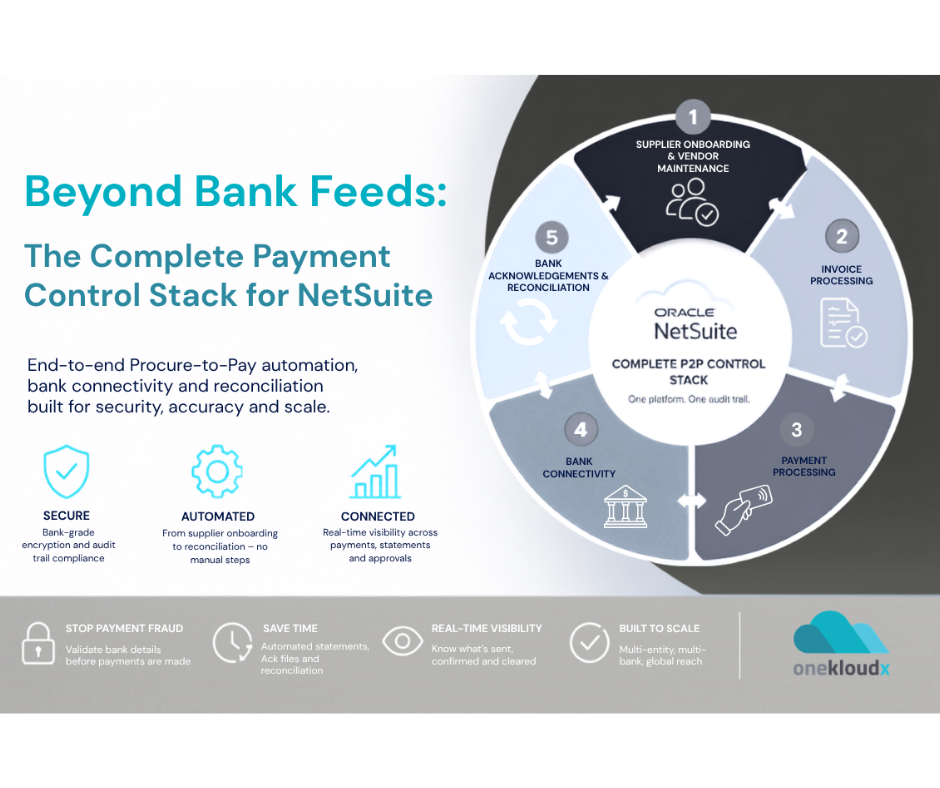
Still wrestling with the operational drag of manual bank reconciliation? For many finance leaders in Australia and New Zealand, it’s a familiar bottleneck; a time-consuming process that opens the door to costly human error. Connecting your ANZ bank feeds directly into your Enterprise Resource Planning (ERP) system isn’t just a minor upgrade; it’s the definitive fix for this chronic headache.
Why ANZ Bank Feeds Are a Game Changer
Let’s be blunt: manual data entry is a liability for any modern business. The hours spent keying in transactions, tracking down mistakes, and forcing accounts to reconcile represent a very real operational cost. This is exactly where automating the data flow from your ANZ accounts straight into your core financial system delivers immediate and substantial value.
This integration simply gets rid of the soul-crushing task of manual data entry. In doing so, you not only slash the potential for mistakes but also gain a near real-time view of your cash position. That kind of clarity is what separates reactive bookkeeping from proactive, strategic financial management.
The Power of Automation in Your ERP
This is about more than just clawing back a few hours each week. It’s about fundamentally changing your finance function from a historical record-keeper into a strategic asset for the business. When your ERP is constantly in sync with your bank data, your team is freed up to focus on work that actually drives the business forward.
- Strategic Financial Analysis: Instead of chasing down missing transactions, your team can analyse spending patterns, forecast cash flow with far greater accuracy, and contribute meaningfully to business strategy.
- A Faster Month-End Close: Automating reconciliation means a smoother, quicker close. You can generate financial reports days, or even weeks, earlier than before.
- Improved Data Integrity: A direct feed ensures the data in your ERP is a perfect mirror of your bank statements. This creates an unshakeable single source of truth for financial reporting and makes audits far less painful. Find out more by unlocking the power of your ERP data.
For decision-makers, the immediate ROI from time savings and vastly improved data accuracy makes implementing ANZ bank feeds a business-critical upgrade. It’s a foundational step towards building a more efficient and resilient finance operation.
A Trusted Partner for a Seamless Integration
As an experienced ERP partner for Australian and New Zealand businesses, we at OneKloudX specialise in connecting ANZ bank feeds to our primary ERP platforms: Oracle NetSuite, Epicor Kinetic, and MYOB Acumatica. We don’t just “turn it on”; we ensure the integration is configured correctly from day one to support your specific business processes and workflows.
Beyond bank feeds, looking into broader automated data entry software can revolutionise your entire financial workflow. The impact is undeniable. A 2023 study by the Institute of Financial Accountants found that automation can reduce manual data entry time by over 80%. For a CFO, this type of integration can cut costly data errors significantly, a metric we focus on heavily during our optimisation projects. To get the full picture, you can discover more about how ANZ supports business banking and the direct benefits of these feeds.
Choosing Your Bank Feed Connection Strategy
Connecting your ANZ accounts to your ERP is a foundational decision. Get it right, and your financial data flows seamlessly, securely, and is ready for automation. Get it wrong, and you’re setting yourself up for security risks, data gaps, and a system that can’t scale with you.
For most Australian and New Zealand businesses, the decision comes down to two main paths: a direct bank feed or a connection through an API and middleware. Each has its place, and the right choice depends entirely on your operational complexity and future plans.
The Direct Feed: Your Secure, Private Pipeline
A direct feed is exactly what it sounds like: a secure, bank-sanctioned connection built directly between ANZ and your ERP, whether that’s Oracle NetSuite, MYOB Acumatica, or Epicor.
Think of it as a private, encrypted pipeline just for your transaction data. You authorise this link from inside your ANZ internet banking portal, which means you never share your login credentials with your ERP or any third party. It’s the gold standard for security and reliability.
Data is typically pushed overnight after the close of business, so your finance team arrives each morning to a full, accurate set of transactions ready for reconciliation. For businesses with a straightforward structure, say, one or a few operating entities, a direct feed is clean, simple, and gives you complete peace of mind.
We’ve built out our own specialised NetSute bankfeed application, which has proven to be a game changer for all our clients. For more information you can view it here under our finance and accounting partner section.
API and Middleware: The Automation Powerhouse
The other route uses an Application Programming Interface (API), usually managed through a middleware platform (often called an Integration Platform as a Service, or iPaaS). These tools act as a powerful bridge, not just connecting your bank and ERP, but orchestrating workflows between all your critical business apps.
Some of the leading iPaaS platforms we see in the field include:
This approach unlocks a whole other level of automation. Instead of just pulling bank data, you can build multi-step processes. For example, a customer payment landing in your ANZ account could instantly trigger an update in your ERP, a notification in your CRM like Salesforce or HubSpot, and an inventory adjustment in your warehouse system from partners like CartonCloud or 3PL Worx. The flexibility is immense.
The decision isn’t always one or the other. A hybrid approach is often the most effective strategy. We worked with a large Australian distribution company that uses a direct ANZ bank feed for its primary, high-volume transaction account. For its subsidiary accounts and specialised tools, it uses a platform like Workato to integrate with solutions like ProSpend or Medius for advanced accounts payable automation.
The whole point of automating bank feeds is to get out of the soul-destroying cycle of manual data entry and reconciliation. The time saved is enormous, and the reduction in errors is just as valuable.
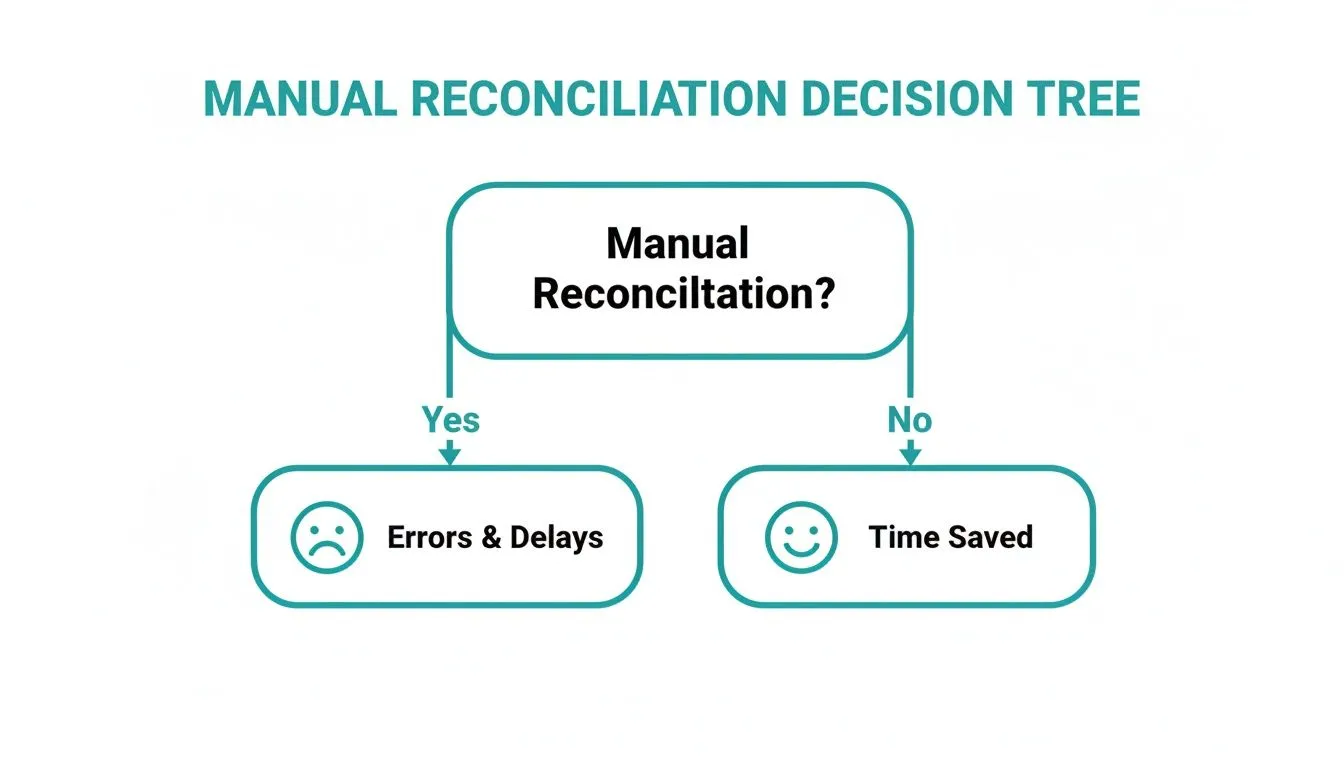
As the diagram shows, sticking with manual processes is a dead end that only leads to more errors and wasted time. Automation is the only path to a truly efficient finance function.
A Quick Comparison
To make the choice clearer, we’ve put together a simple table comparing the main connection methods. This should help you map your business needs to the right technology.
Comparison of ANZ Bank Feed Connection Methods
| Connection Method | Best For | Security Level | Key Benefit | Consideration |
|---|---|---|---|---|
| Direct Bank Feed | Businesses prioritising security and simplicity for core transaction accounts. | Very High | Bank-sanctioned connection; no credential sharing. | Limited to data sync; less flexible for complex workflows. |
| API & Middleware | Businesses needing to automate multi-step workflows across several applications. | High | Incredible flexibility for custom automation and real-time data flow. | Requires middleware subscription and more complex setup. |
| Third-Party Aggregator | Smaller businesses or those with many bank accounts across different institutions. | Medium | Connects to thousands of banks, consolidating all feeds in one place. | You share banking credentials with a third party. |
Ultimately, this comparison highlights that there’s no single “best” method, only the best method for your specific situation.
Making the Right Choice with an Expert Partner
So, do you go with a direct feed, an API connection, or a hybrid model? A simple setup might work today, but will it support your growth, a future acquisition, or plans to adopt more specialised software tomorrow? This is where a bit of foresight pays off.
Engaging an experienced ERP partner like OneKloudX is invaluable here. We help Australian and New Zealand businesses map out their financial data architecture to make sure it’s robust and scalable.
Whether you run Oracle NetSuite, Epicor Kinetic, or MYOB Acumatica, our job is to ensure your ANZ bank feeds are a strategic asset, not just a feature you’ve turned on. We look at your transaction volume, entity structure, and your entire application ecosystem, including tools like KeyPay for payroll or Avalara for tax, to recommend the right connection strategy for the long haul.
How to Activate Your ANZ Bank Feeds
Getting your ANZ bank feeds connected is the first real step towards ditching manual reconciliation for good. This is where you build the secure data pipeline between your bank and your ERP, a move that will save your finance team hundreds of hours.
Whether you’re on Oracle NetSuite, MYOB Acumatica, or Epicor Kinetic, the process always kicks off inside your ANZ Internet Banking for Business portal. It’s a process you drive, but one decision in particular has long-term consequences. Let’s get it right the first time.
Kicking Off the Feed From ANZ Internet Banking
Everything starts in your familiar banking environment. You’re in complete control, telling the bank which system you authorise to receive your transaction data. It’s the digital handshake that starts the whole process.
The path is pretty consistent for most business customers. You’ll need to:
- Log in to your ANZ Internet Banking for Business account.
- Find your way to the Settings section.
- Look for an option like Manage Bank Feeds. This is your control centre for all data connections.
- From there, you can activate a new feed, selecting your ERP from the list.
The interface is built for self-service, guiding you to pick your software and the specific accounts you want to connect.
This step is simply you giving ANZ permission. The real work happens next.
The One-Time Decision: Historical Data
During setup, you’ll face a critical, one-time choice: how much historical data to import. Your decision here is permanent. You can’t go back and change it later without deactivating and restarting the entire feed.
This is arguably the most important decision you’ll make. You’ll generally see three choices:
- Last 2 Years
- Current Financial Year
- None (start from today)
For any Australian business on a July-to-June financial year, choosing the ‘Last 2 years’ option is a huge strategic win. For example, if you set up a feed in August 2026, this choice pulls in every transaction from the current financial year and the entire previous one. This can wipe out weeks of manual data entry for your BAS and end-of-year tax reporting.
Making the right call here is vital. ANZ’s feeds are known for their reliability, delivering data nightly. According to ANZ, over 90% of feed requests are processed on the same day, so your team can get to work almost immediately. For more detail, the ANZ business support site has some helpful FAQs.
The Final Step: Authorisation
Once you’ve made the historical data choice, the final step is giving your formal authorisation. The method depends on your ERP and account type.
-
Instant Digital Authorisation: This is the most common path for modern cloud platforms. After picking your software in the ANZ portal, you’ll be redirected to your ERP (like NetSuite or Acumatica) to log in and confirm. The connection is sealed, and your feed is typically live within 24 hours.
-
Form-Based Authorisation: For some older systems or specific account structures, you might need to download, sign, and upload a form. It’s less common now but still a necessary security check. If you hit this, get it signed by the right person quickly to avoid holding up the project. These can take a few business days to process.
Knowing which process to expect helps manage timelines. As an experienced ERP partner, this is a step we at OneKloudX often walk clients through to make sure a simple form doesn’t become a bottleneck. You can see more on how these feeds integrate in our guide on NetSuite Australian bank feeds.
Getting your ANZ bank feed activation right from the start is the foundation of a solid financial automation strategy. A careful choice on historical data and a smooth authorisation process set the stage for a more efficient, accurate, and strategic finance function.
Mastering Automated Bank Reconciliation
Getting your ANZ bank feeds hooked up is only the first step. The real work, and the real payoff, comes from mastering automated bank reconciliation. This is where raw transaction data becomes useful financial information, finally breaking the soul-crushing cycle of manual matching that finance teams know all too well.
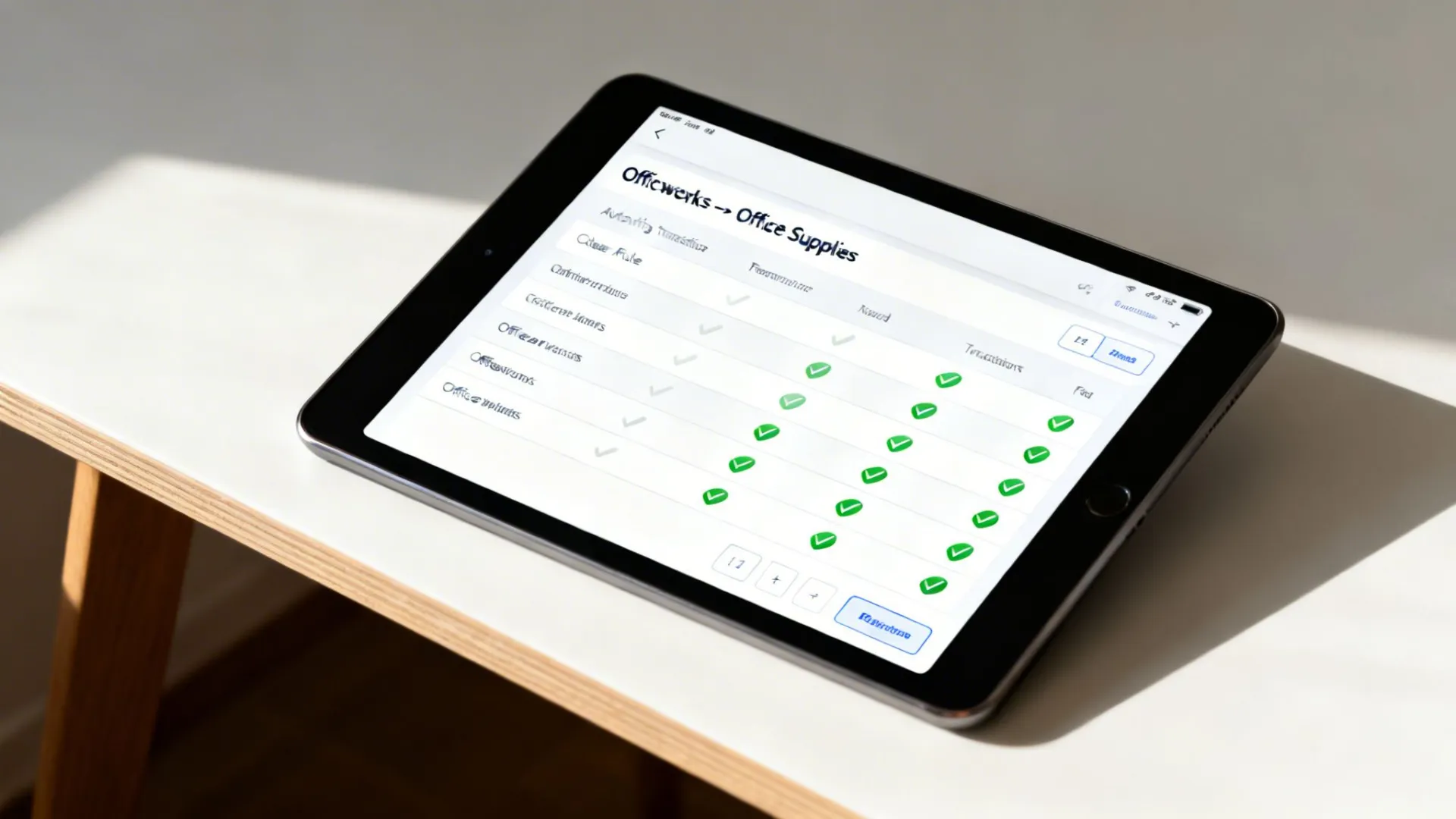
Once your feeds are live, the aim is to create a nearly touchless workflow. You want the vast majority of transactions matched, coded, and reconciled without anyone having to lift a finger. This isn’t magic; it’s about building smart reconciliation rules inside your ERP.
Creating Powerful Reconciliation Rules
Modern ERPs like Oracle NetSuite and MYOB Acumatica are built for this. You can essentially teach the system how to categorise recurring transactions based on details in the bank data.
A great starting point is setting up rules for your regular suppliers. Think about your monthly Officeworks bill. You can create a rule that tells the system to find any transaction with the word ‘Officeworks’ in the description and automatically code it to your ‘Office Supplies’ general ledger account. Simple.
You can apply that same logic to all sorts of predictable expenses:
- Rent Payments: Match any transaction containing your landlord’s name directly to the ‘Rent Expense’ account.
- Software Subscriptions: Automatically code payments to Adobe, Microsoft, or HubSpot to their ‘Software as a Service’ expense lines.
- Utilities: Create rules based on payee names like ‘AGL’ or ‘Sydney Water’ so your utility bills are categorised correctly every single time.
These rules don’t have to be basic. In a system like Epicor Kinetic, you can build more advanced logic that looks at different amounts or specific phrases in the transaction description, which is incredibly useful for businesses with more complex operational costs.
The goal is to automate the predictable so your finance team can focus on the exceptions. A well-configured system can automatically match over 80% of incoming transactions, slashing manual work and dramatically speeding up your month-end close.
Strategies for Handling Exceptions
No matter how good your rules are, you’ll always have exceptions. It’s inevitable. The key is to have a clear process for dealing with them, whether it’s a customer making a partial payment, an unexpected bank fee, or a transaction in a foreign currency.
When a customer pays only part of an invoice, your ERP should let you apply the funds against that open invoice, leaving the rest of the balance due. You’re not creating a new entry; you’re just updating the existing record. This keeps your audit trail clean and is a standard feature in both Oracle NetSuite and MYOB Acumatica.
Multi-currency transactions are another common headache. Let’s say a US-based customer pays a USD invoice, and it lands in your AUD ANZ account. The bank feed will show the final AUD amount. Your ERP needs to reconcile this against the original USD invoice and automatically calculate any foreign exchange gain or loss based on the daily rate. A good system does this for you.
Enhancing Reconciliation with Finance Automation Partners
For larger companies or those drowning in a high volume of complex transactions, dedicated finance automation platforms can elevate your reconciliation game. These tools plug directly into your ERP and bank feeds, creating a truly hands-off process.
As a trusted ERP partner, OneKloudX often brings in specialised solutions from our partners to bolster what the core ERP can do. A few key players in this space include:
- Blackline: A leader in financial close automation, Blackline offers advanced transaction matching and account reconciliation that goes far beyond what most standard ERPs can do alone.
- Zone and Co: Known for their Built-for-NetSuite apps, their ZoneReconcile solution automates even the most tangled bank and credit card reconciliations right inside the NetSuite environment.
- Kyriba: This is a full-blown treasury management platform with powerful cash management and reconciliation tools, perfect for companies juggling multiple bank accounts and complex cash positions.
By linking these platforms to your ANZ bank feeds, you build a financial ecosystem where data flows and reconciles with very little oversight. For instance, integrating a tool like Zudello or Lightyear can automate your entire procure-to-pay process, from capturing invoice data all the way to the final reconciliation against the bank feed. For more on these principles, it can be helpful to see how others master Xero bank feeds for automated bookkeeping.
Ultimately, a successful bank reconciliation setup is a system of rules and processes. It starts with simple rules in your ERP and can grow into an integrated ecosystem of powerful financial tools. Of course, all of this relies on good data, which is a topic we cover in our guide on the importance of data cleansing and standardisation.
Troubleshooting Common Bank Feed Issues
Even the most well-configured ERP system can hit a snag. When it comes to your ANZ bank feeds, a small glitch like a delayed feed or a missing transaction can throw your whole day off track.
But most of the time, these issues aren’t a five-alarm fire. Knowing where to look first can save you a lot of frustration and get your data flowing again quickly. Here’s our real-world guide to diagnosing and fixing the most common bank feed problems we see in the wild.
Missing Transactions or Feed Delays
This is hands-down the most frequent issue we hear about: transactions you know have happened just aren’t showing up in the ERP. Before you pick up the phone to support, there are a couple of quick checks you should run through.
First, remember that most direct feeds, including those from ANZ, sync overnight. If you’re hunting for a transaction that occurred today, it probably won’t appear until tomorrow morning’s sync. Patience is key here.
If the transactions are still missing after that overnight window, it’s time to do a bit of detective work in two key places:
- Check Your ERP: Jump into the bank reconciliation or bank feed management screen in your system, whether it’s Oracle NetSuite, Epicor Kinetic, or MYOB Acumatica. Look for any explicit error messages or check the “last updated” timestamp; if it’s a day or two old, that’s your first clue.
- Check ANZ Internet Banking: Log in to your ANZ account and navigate to the “Manage Bank Feeds” section. You need to see the feed for your specific ERP listed as “Active.” If it’s inactive or has an error, you’ve found the source of the problem.
Occasionally, a feed can be held up by a technical issue at either the bank’s or the ERP’s end. If everything looks active but your data is delayed by more than a full business day, that’s when it’s time to engage your support channels.
The Critical Rule of Historical Data
Here’s a common point of confusion that can cause major headaches down the road. When you first set up your ANZ bank feeds, the system gives you a one-time choice to import historical transaction data, often covering the current and previous financial years.
This is a huge help for audits and year-end reporting, but it comes with a massive catch.
It’s absolutely critical to understand that you cannot go back and add historical data after the initial activation is complete. If you choose to start the feed from “today” and later realise you needed the past two years of data, your only option is to deactivate the feed entirely and start the entire setup process from scratch.
This is exactly why getting the initial configuration right is so important. As a small safety net, ANZ Internet Banking lets you view past payments up to 120 days old, but this is a manual workaround, not a substitute for a proper historical import. The bank’s own operational reporting and details sometimes provide context on these processes, but the rule itself is firm.
When to Call in an Expert Partner
While you can solve many minor issues with the simple checks above, some problems are just more complex. You might be facing persistent connection errors that won’t clear, data formatting issues causing reconciliation nightmares, or problems with specific account types that your internal team just can’t pin down.
This is where having a dedicated ERP support partner like OneKloudX becomes a game-changer. Instead of you spending hours on the phone bouncing between bank and software support, our team can step in. We have deep, hands-on experience diagnosing these tricky integration issues between ANZ and platforms like Oracle NetSuite, Epicor Kinetic, and MYOB Acumatica.
We can quickly identify the root cause, whether it’s a subtle configuration setting, an API issue, or a problem with a middleware platform like Workato or Celigo, and get it fixed. It means your finance team can get back to their real jobs, and the business avoids costly disruptions.
Your Top ANZ Bank Feed Questions, Answered
When we talk with finance teams about integrating ANZ bank feeds, the same handful of critical questions always come up. It makes sense. You’re dealing with the lifeblood of the business, and you need to be certain about security, functionality, and future-proofing.
Here are the honest answers to the questions we hear most often during our client consultations, based on years of hands-on ERP implementation experience with our primary platforms: Oracle NetSuite, Epicor Kinetic, and MYOB Acumatica.
How Secure Are Direct ANZ Bank Feeds into an ERP?
This is, without a doubt, the number one concern for every CFO and finance leader we work with. And it should be.
The short answer is: they are exceptionally secure. A direct feed from ANZ into an ERP like Oracle NetSuite, Epicor Kinetic, or MYOB Acumatica uses a bank-grade, encrypted connection designed specifically for this purpose.
The real security win is in the authorisation method. Forget old, risky practices like screen-scraping where you had to hand over your banking credentials to a third-party app. A direct feed is an authorised link that you control entirely from within your ANZ Internet Banking portal. Your login details are never exposed to your ERP or any other system, which is why this is now the gold standard for security. The industry’s move towards certifications like SOC 2 and ISO 27001 only reinforces this commitment to bank-grade protocols.
Can I Connect Multiple ANZ Accounts to One ERP?
Yes, and you absolutely should. To get a complete, accurate financial picture in your ERP, you need to connect all the accounts your business uses. This isn’t just possible; it’s best practice.
We typically see clients connect:
- Transaction accounts for day-to-day operations.
- Savings or holding accounts to track cash reserves.
- Business credit card accounts to capture all corporate spend automatically.
Each account you authorise in your ANZ portal will create its own distinct feed inside your ERP. This is crucial because it allows for clean, segregated reconciliation. For instance, a Melbourne-based retailer we worked with connected separate feeds for their main operating account, their online sales settlement account, and their corporate Amex, all flowing into MYOB Acumatica. This gave them a unified, real-time view of cash flow they never had before.
For businesses running multiple entities, connecting all relevant ANZ accounts is non-negotiable. It’s the only way to achieve accurate multi-entity consolidation and manage intercompany transactions without resorting to spreadsheets. This creates the single source of truth you need for reliable group-level reporting.
What Happens if I Change My ERP System?
Businesses evolve. The ERP that worked for you five years ago might not be the right fit today. So, what happens to your bank feeds when you migrate?
Switching platforms requires a deliberate, two-step process to maintain data continuity. First, you must log into your ANZ Internet Banking portal and formally deactivate the existing bank feed connected to your old ERP. This is a critical cut-over step.
Only after that connection is severed can you then initiate and authorise a new feed to your new ERP system. An experienced ERP partner like OneKloudX handles this as a standard part of any go-live for our Australian and New Zealand clients. We ensure a clean break, preventing any risk of duplicated or missing transactions that would create a reconciliation nightmare in your new system. This careful planning means your financial reporting is seamless from day one.
Ready to get a clear, real-time view of your financials and eliminate manual data entry for good? The team at OneKloudX are experts in designing, implementing, and supporting ERP systems like Oracle NetSuite, Epicor Kinetic, and MYOB Acumatica with seamless ANZ bank feed integration. Contact us today for a consultation.